Out of the box the MultiPlus comes preconfigured with a pair of 1m35mm2 (2AWG) welding cables (and as a side note: with unusually thin M8 cable lugs).
When connected to a 12V battery based on 4s Eve LF280K cells, the maximum current drawn can go beyond the recommended 0.5C rating – especially when the cell voltage decrease under the nominal 3.2V or the total cable length is longer than 1m. Using a larger inverter or smaller cells will make things even worse.
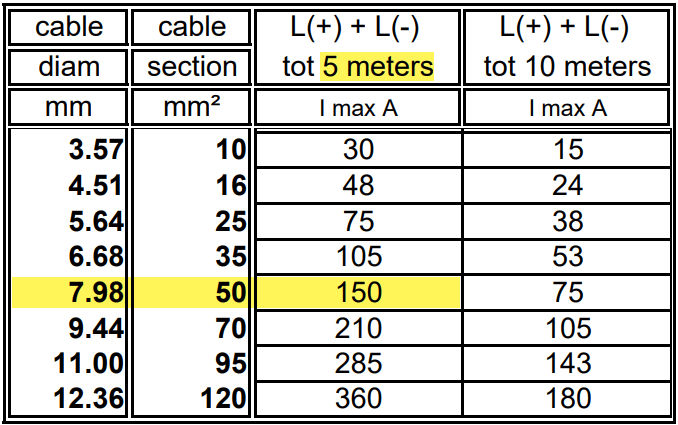
And when we look at Victron’s Recommended battery cables document, we see that they are recommending 50mm2 for currents up to 150A anyway (for cable lengths of up to 5m).
For a 1m cable the theoretical voltage drop is within their recommended range of 0.259V. But they explicity state that resistance leading to additional voltage drop due to contacts is not calculated into the recommended cables size.
Already a cable size of 2m will lead to over 3% and 0.3V voltage drop when the cell voltage is only 4* 2.6V = 10.4V (and by default raise a “Low Voltage Alarm” on the MultiPlus). And even a cell voltage of 4* 2.75V = 11V is close to 3% and over the recommended threshold (of course, calculation is based on full inverter load of 1600VA). Besides Victron explicitly recommends a voltage drop of under 2.5% in their Wiring Unlimited document.
So why is Victron fitting the inverters with only 35mm2 cables? Especially since they are using welding cables that are only rated up to 60°C. I do not know.
But I do know, how I can fit an additional 35mm2 pair into the inverter and minimise a potential heating problem.
Adding a second pair makes particular sense at least in my case, as I am using a JK-BMS and Eve cells that both come with two M6 terminals per connection point. So running two cable pairs to battery and BMS saves me from using a bulkier and stiffer 70mm2 cable that I would have to split at the BMS and main positive cell anyway. And with that, I can still use the Anderson SB175 connectors with regular housing and 1383 wire contacts and without having to resort to 2/0 housings and 1328G1 wire contacts.
The inverter comes with 30mm holes in the front panel where the supplied cable is fitted with an M25x15mm cable gland (side note: why are they using IP68 glands when the whole inverter is only rated at IP21). Eland H07RN-F 35mm2 cable has a diameter of 14.6mm, so actually two of these cables do not fit through the holes at once.
But as the cable lugs are actually that long that they stick out of the chassis the required diameter is 2* 12.5mm = 25mm which is just the size of the hole. When wrapped in heat shrink we need some more space. And certainly we want a little bit of head room, so the cables do not scratch against the metal when moving.
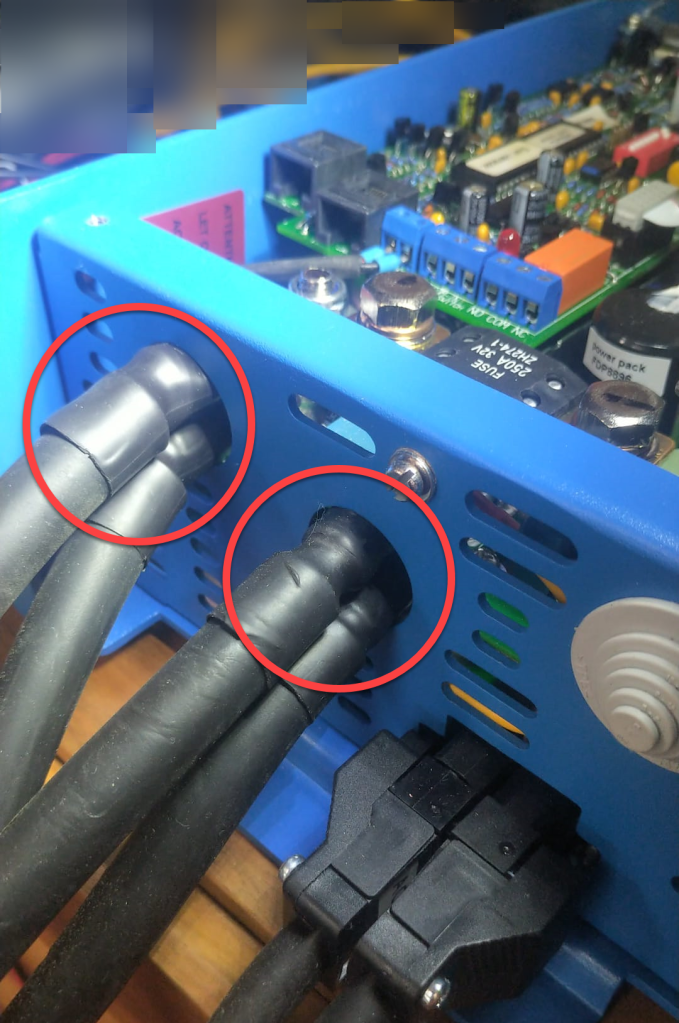
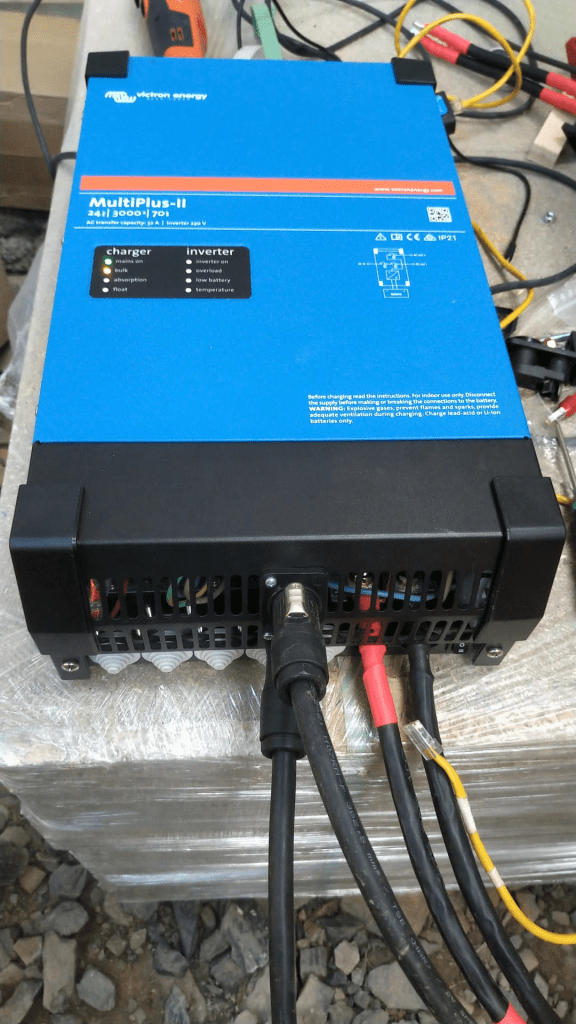
So, the M25 holes had to be enlarged slightly to make space for the double cable lugs as seen on the picture below. I used a Hilti GDG 6-A22 grinder for this. I covered the inverter to prevent metal splices and dust getting inside (board, circuity) of it. And I added extra insulation around the cable lugs to prevent them cutting into the metal.
Bottom side of MultiPlus with enlarged holes and extra cable insulation
Mounting the cables to the connection points is done with two Klauke M8 35mm2 DIN 46235 compression cable lugs (back to back).
Note: the compression cable lugs from Weidmüller will not fit, as their connection plate is too long.
Instead of the factory supplied washers, spring locks and nuts, I use M8 serrated washers and lock nuts. As the negative connection point (which is directly under the 250A MEGA fuse) is around 2mm higher than with only one cable lug, I added an additional (copper) washer under the fuse terminal to make more space.
I could cover the original bolts with insulation tape to prevent accidental contact with the chassis when squeezed (but this is something that could have happened even before).
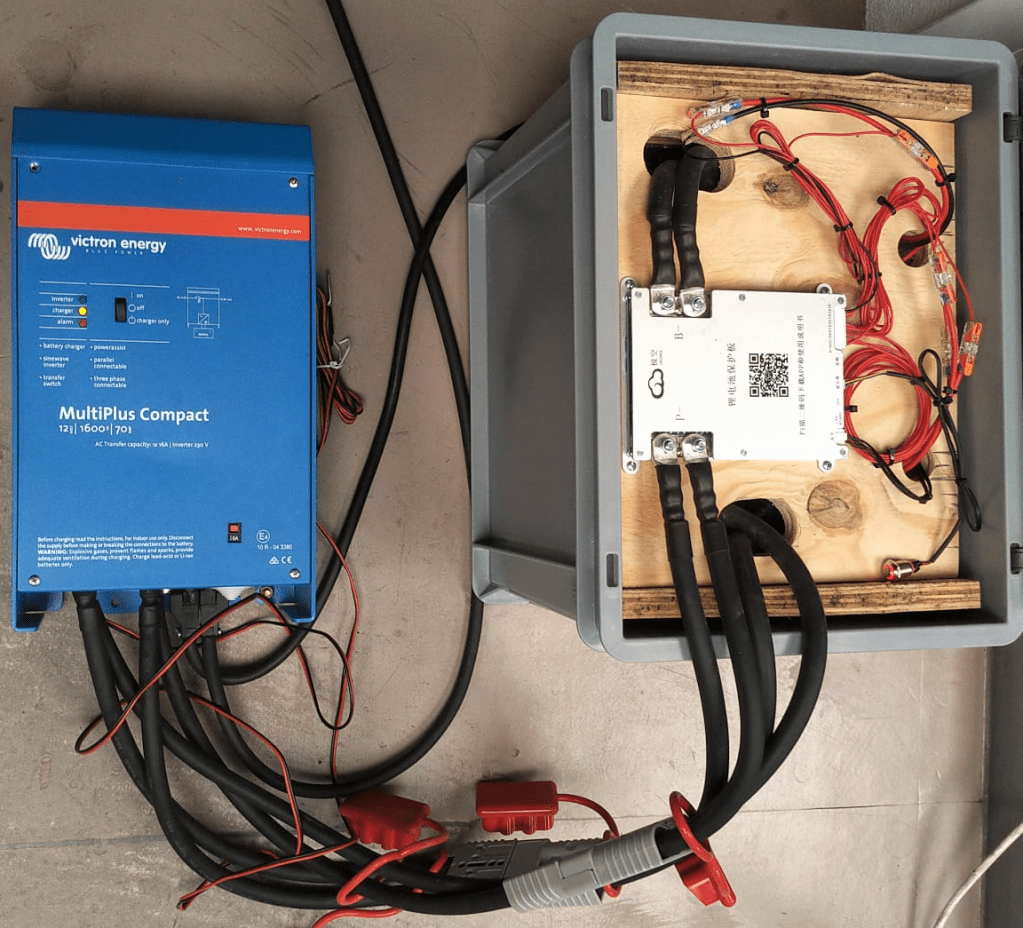
Victron MultiPlus Compact 12/1600/70-16 with dual 35mm2 battery cables
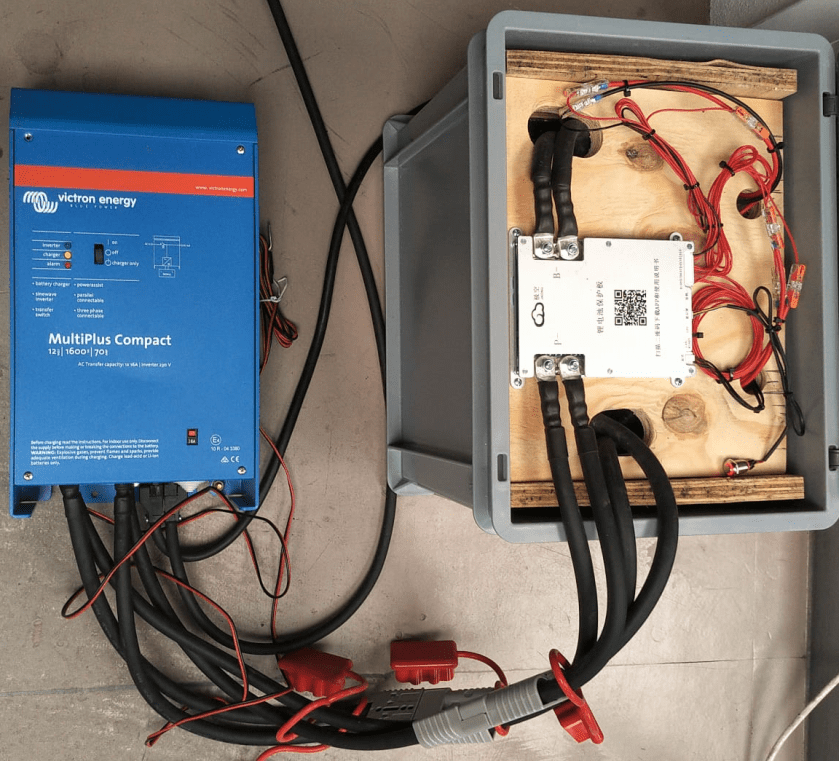
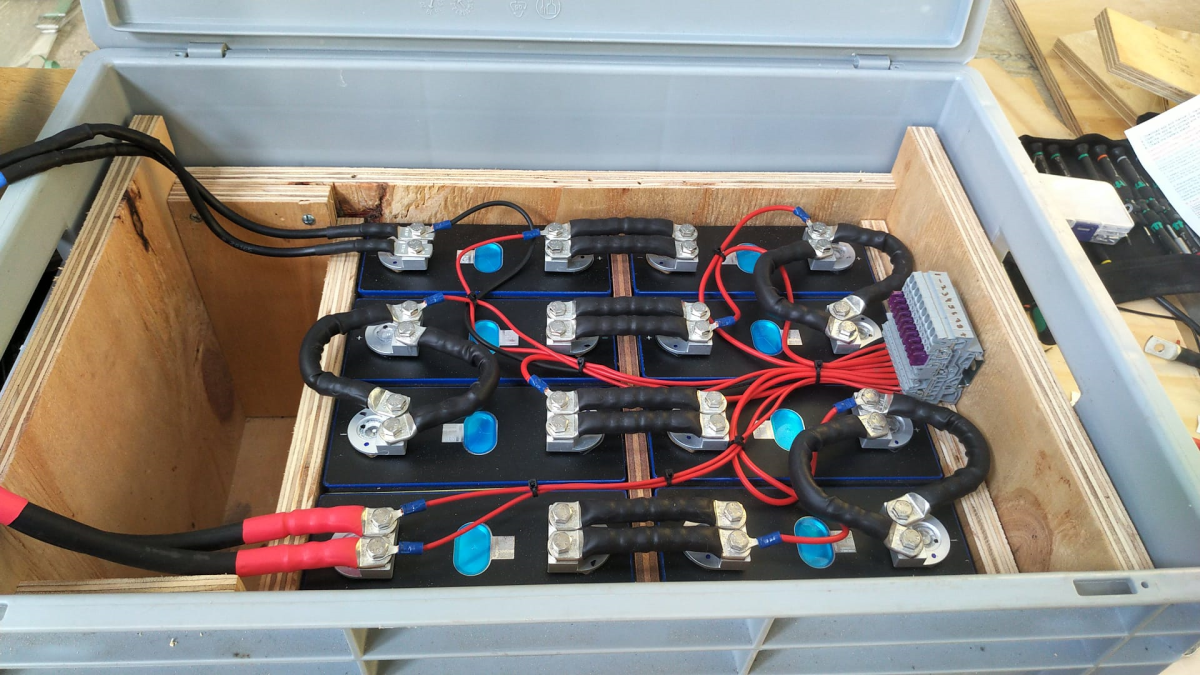
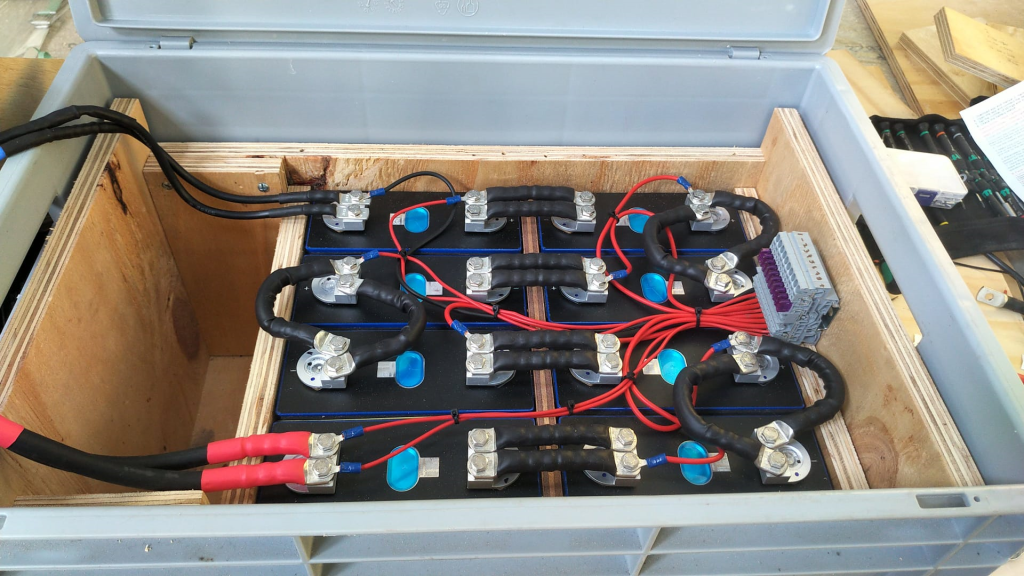
Now we have a 2* 35mm2 = 70mm2 connection to our battery as seen below.
2* 35mm2 connection between battery and inverter
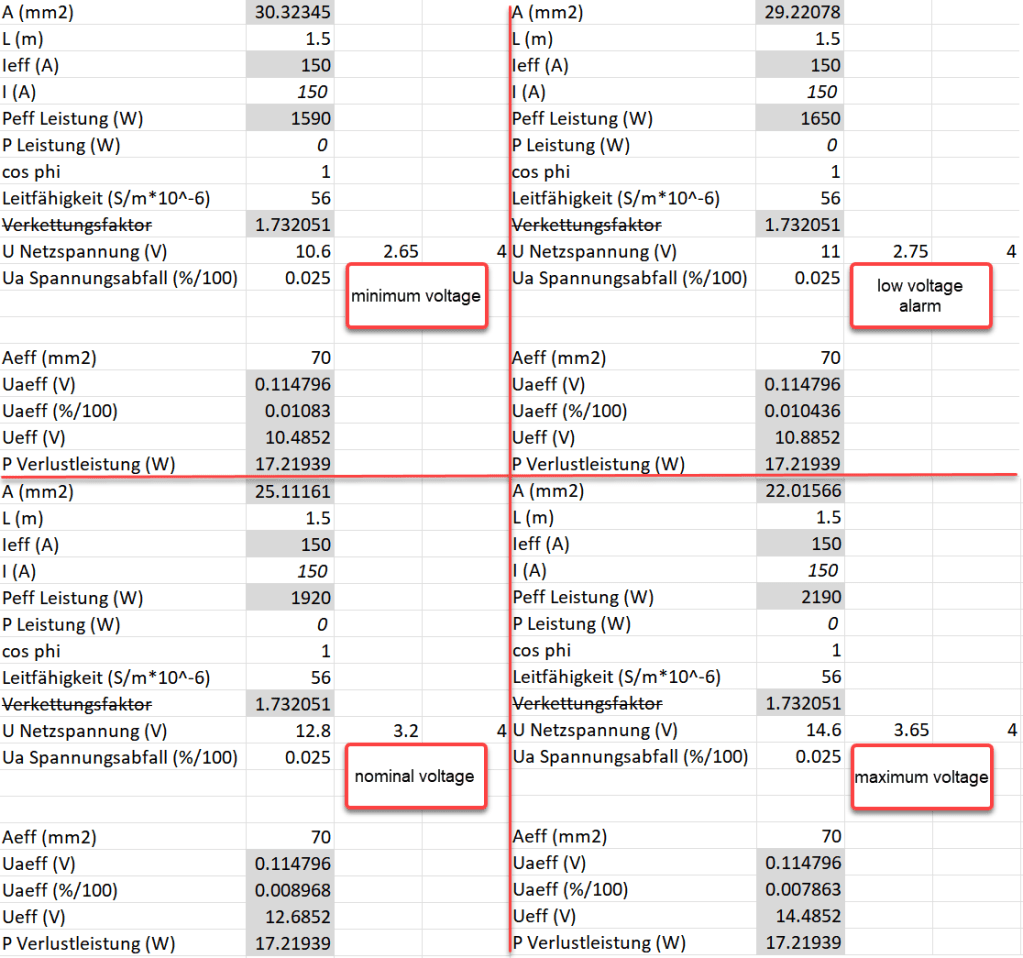
So the voltage drop over the whole cable (1.5m from invert to battery with 70mm2) should be around 114mV:
Voltage drop at different cell voltages
So as it seems, the main difference between the larger and the smaller cable is the power loss (17.22W vs 34.44W at full power or 15W vs 30W at 0.5C). So all in all we save nearly 0.84% battery capacity per cycle with the thicker cables (which is 5000Wh over the whole cell life) – probably less than we spend on the cables and lugs, the labour and the time to do the calculation and writing up the article …
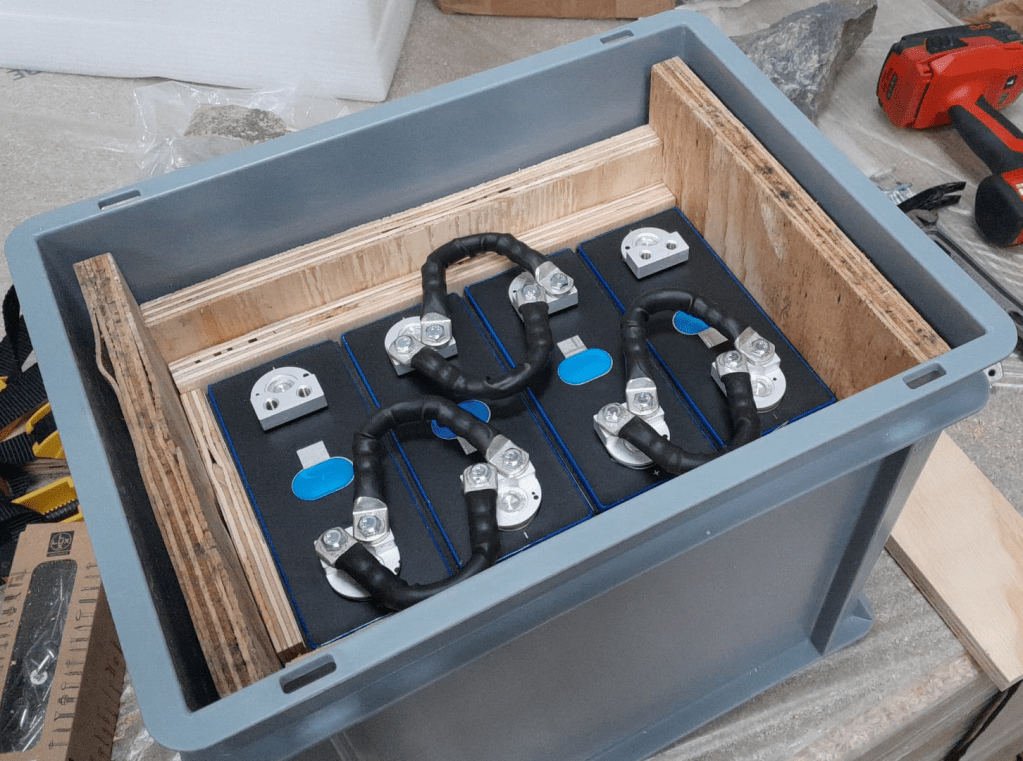
For this build, I planed all the boards after cutting, before putting in the cells. With this, I hoped to minimise the chance of any particles on the board damaging the cell insulation.
And for the small board at the short side of the case, I did also use 20mm plywood, but planed it several times until it I could just slide it in.
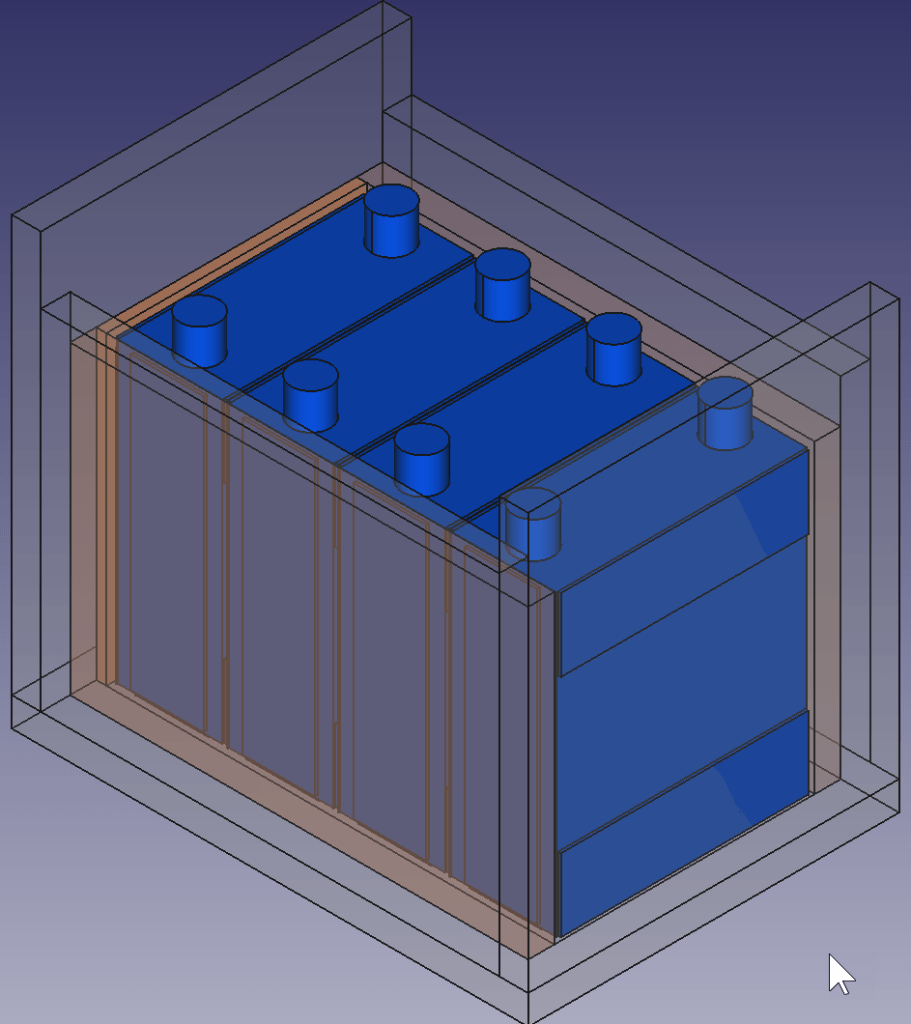
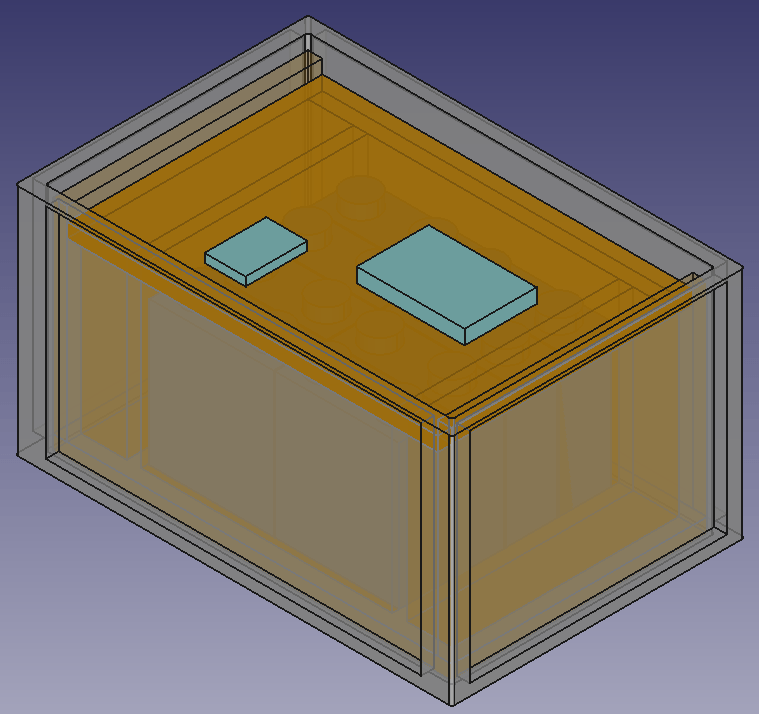
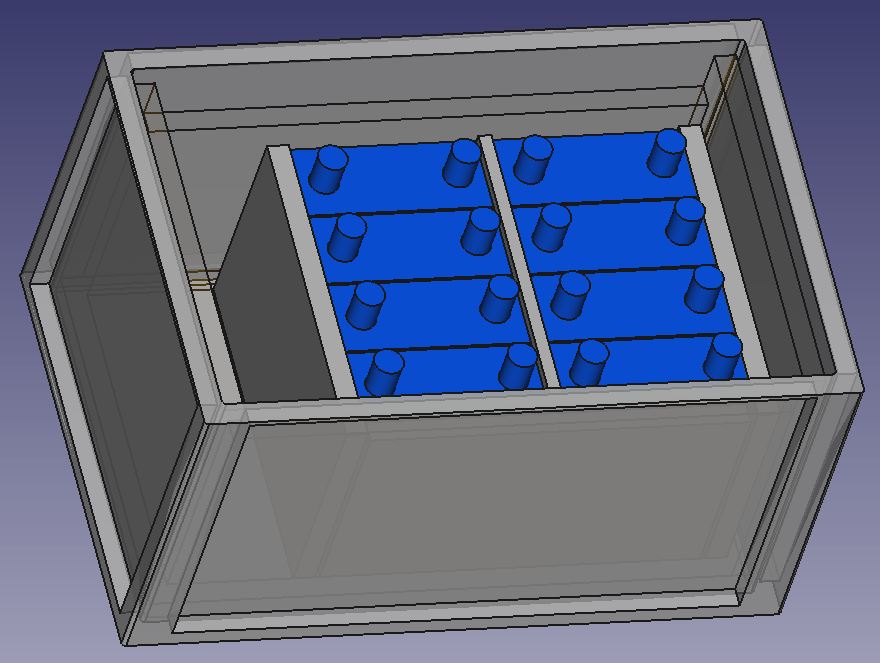
This is how the wooden case looks with the cells and insulation boards (shown in red):
Top view: battery cells with depicted insulation boards (shown in red)
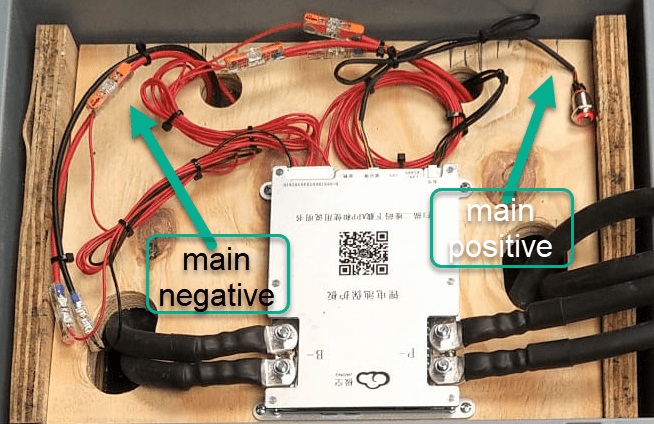
Note: when using a JK-BMS I found it important to have the main negative connection point on the upper left (or lower right). Only with this orientation it was (relatively) easy to connect the cell to the BMS.
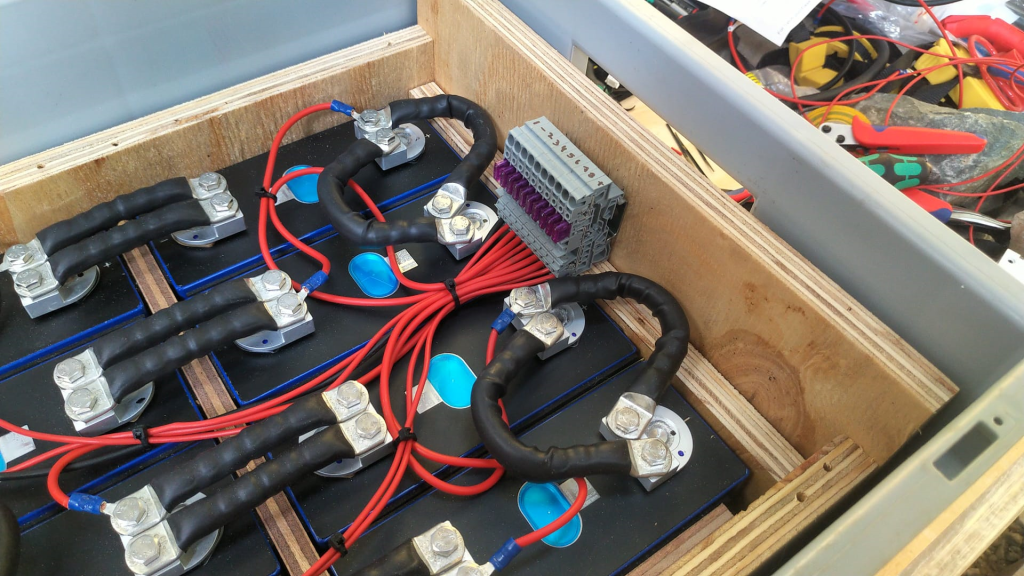
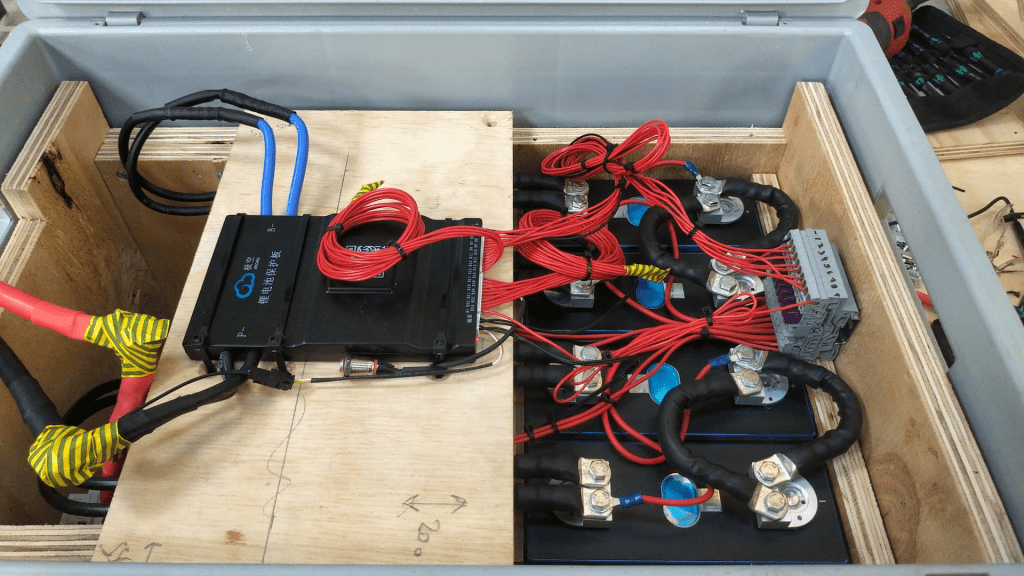
BMS connected to cells
It needed some fiddling to get the main negative cable pair to the BMS and the main positive cable pair out of the frame, as we can see from the image above.
The connection to the individual cells are fed through WAGO 221-2411 2 conductor inline splicing connectors. The holes into the top board were done with a forstner bit and a jigsaw. This version of the BMS can be fixed with four screws to the board (so no need for wire straps as with the 24s version).
Again, instead of a display I just used the pluggable power button that is connected to the display port of the BMS to power on and off the device.
In the end, I added Anderson SB175 connectors and 1383 (2AWG) contacts to both pairs and connected them to the inverter.
cell contacts were secured with M6 serrated washers and M6 16mm steel bolts;
BMS threads B- and P- were secured with M6 lock nuts to M6 16mm steel bolts (with the bolt upside down);
cell wires from the BMS were fitted with uninsulated ferrules;
cell wires on the positive cell poles were fitted with ring lugs and a 2.5mm2 hookup wire;
I added handles to the SB175 connectors to facilitate disconnecting the cable pairs;
I added dust covers to the SB175 connectors;
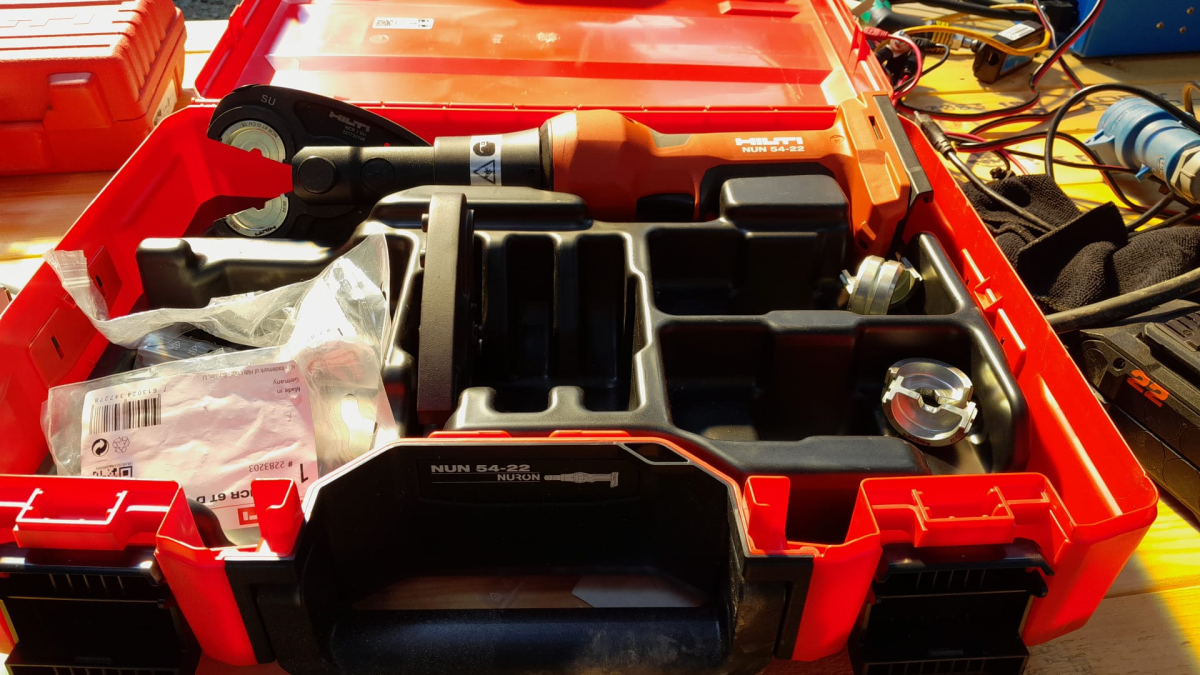
all compression cable lugs and the SB175 were crimped with a Hilti NUN54-22;
all cable lug connections and Sb175 were heat shrinked;
I added 2*35mm2 cable pairs with SB175 connectors to the inverter by replacing the existing 35mm2 welding cable with M8 lugs (you still need M8 lugs on the inverter positive and negative terminals).
Things to improve next time
Mount the SB175 connectors to the outside of the container With this the lid can be closed and the cables and BMS are better protected against pulling;
add 3A inline fuses to the cell wires;
use 45° angled cable lugs for main positive and main negative to make it easier to get the wires routed outside the container;
feed an additional wire pair for the voltage sensor from the main positive outside the container to be able to connect it to the inverter (but I am not too sure about this, as I think the voltage drop on the 2*35mm2 connection is neglectable – it might better to add a temperatur sensor to the main positive):
add a Victron MK-3 USB-C interface with RJ-45 cable into the case (to be able to restrict AC power on the inverter).
What did it cost?
Cost calculation for the 4s battery including case and inverter
Summary
This case is not as complete as the 8s version – due to its form factor. Neither the inverter has an RCBO nor the battery has a DC MCB. This has to be added separately (incurring additional cost and space). As written above, the 4s version is more like a traditional battery. However, the form factor is quite compelling; 3.5kWh in 400mm x 300mm x 325mm case. Especially in combination with the compact edition of the Victron MultiPlus. And the cost (as always without labour) is very reasonable, as well.
The inverter delivers 1200W constant power – in my opinion, enough for a small and mobile electricity build. Runnig a Krups Inissia Nespresso machine is not a problem, and boiling water with our 1000W immersion heater neither. Worst case, you could also run a 300W infrared panel heater for more than 11 hours.
One drawback of the inverter is probably the relatively small charger. With 70A at 12V it can only charge the battery with around 840W. This is certainly not the problem of the battery which would support charging up to 1344W.
A couple of months ago, I purchased a Hilti NUN54-22, a cordless crimper and cutter. Originally, I wanted to go for a device from Klauke as I am using Klauke compression cable lugs for most of the time anyway. But they only offered their tool with either Bosch or Makita batteries. And I did not want to start to invest into a new battery platform.
So, for me it was going to be only a tool from either Hilti or Milwaukee (the only manufacturers for battery powered tools I have). When I looked closer at the Hilti device, I found striking similarity to one of the Klauke devices offered. And the accessories like crimping dies seemed to be pretty much -well- identical, as well.
So, I asked my local Hilti sales manager what this was all about. Officially, no answer. But inofficially, the Hilti tool seemed to be a Klauke clone.
Soon after the purchase, after I realised that Hilti themselves only offered crimping dies for compression cable lugs, this came in really handy when I needed a crimping die for pre-rounding wire: the RU2210.
The other day, I received my Victron MultiPlus Compact 12/1600/70-16. One of the first steps to do upon commissioning was to update the firmware. In my case from v481 to v502.
With my Windows PC running the latest VictronConnect App and a MK3 to USB-C Interface, I connected to the MultiPlus and enabled the advanced settings by entering the infamous zzz password (which you officially can only get from an official Victron training or distributor or simply by searching the internet).
I was offered to install 2606502.vff to which I happily clicked OK. So it seemed, I was running on a new microcontroller with 230V (hence 26) and really had a MultiPlus Compact 12/1600 (06). But I did not know this at that time.
After a couple of seconds into the update process, the operation stopped by telling me something failed. And after a restart, the only thing I could see was the yellow LED constantly flashing as soon as power was connected to the device and regardless of the main switch position.
Victron MultiPlus Compact flashes yellow after failed firmware update
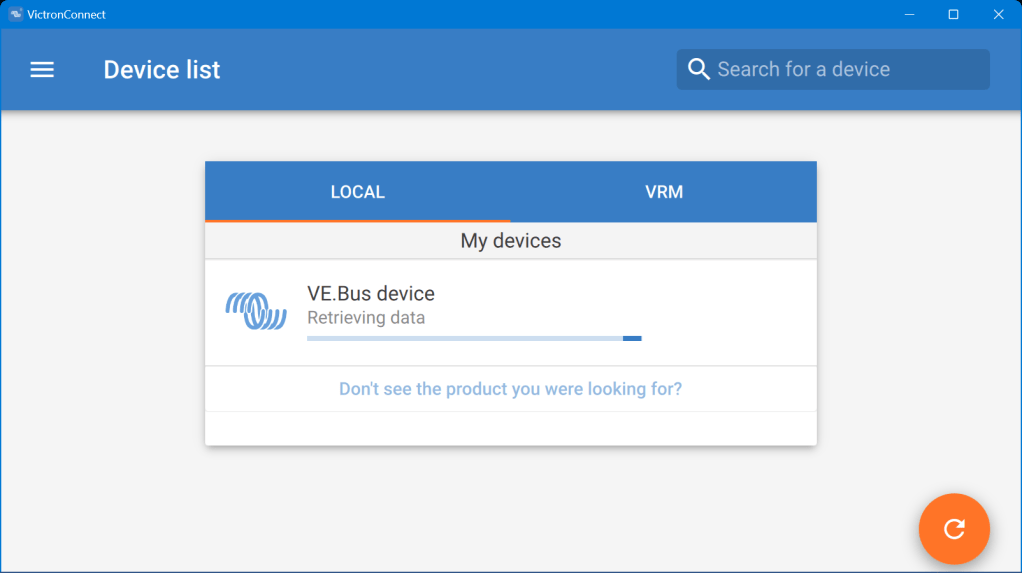
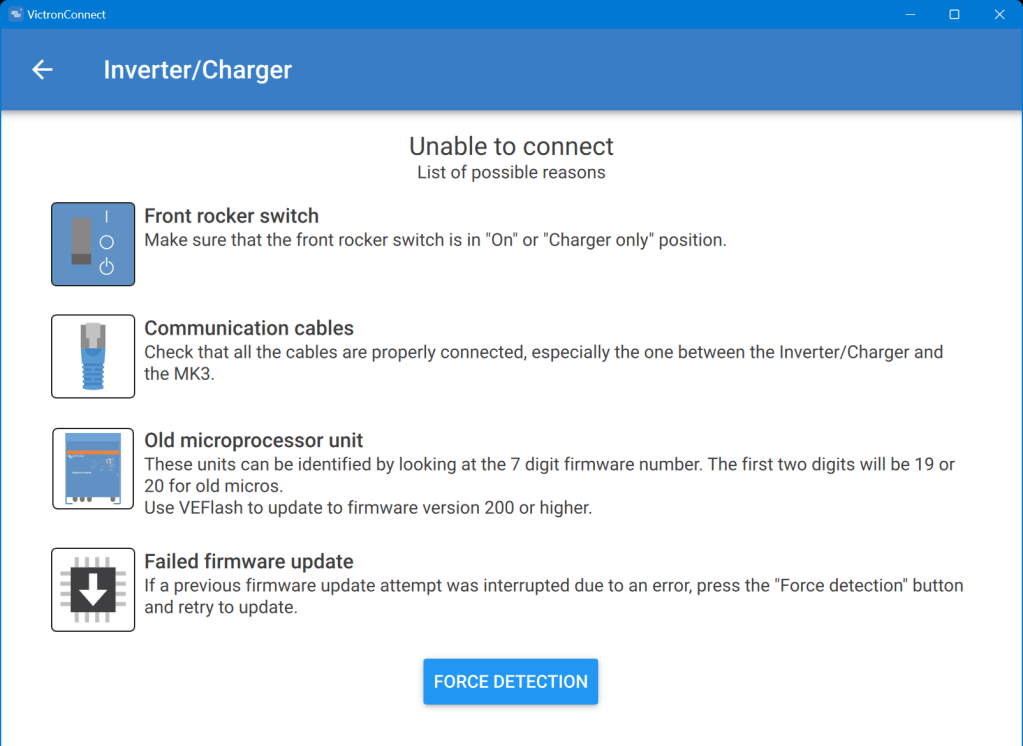
When I tried to reconnect with the VictronConnect app, the detection phase took very long – but the MultiPlus was not recognised.
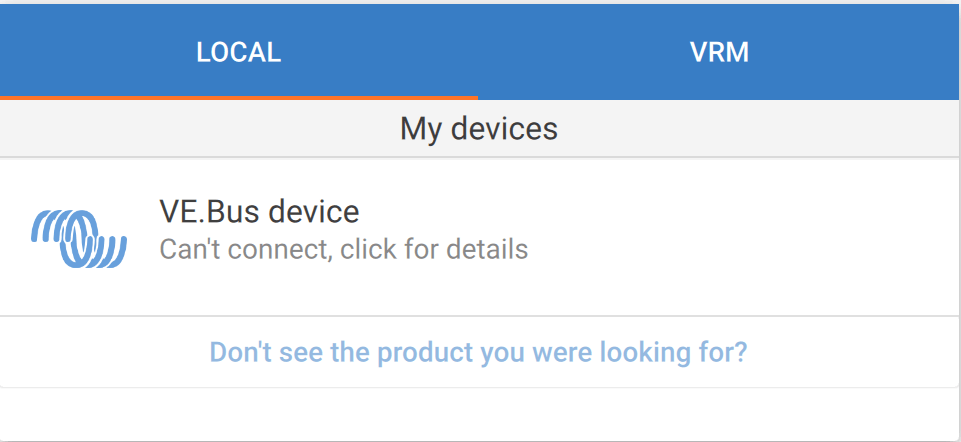
VictronConnect trying to detect the MultiPlus after the failed firmware updateDetection unsuccessful after the failed firmware update
Even when I tried the “Force detection” option (which is intended to be used after a failed firmware update) no usable result was yielded.
“Force detection” did not work either
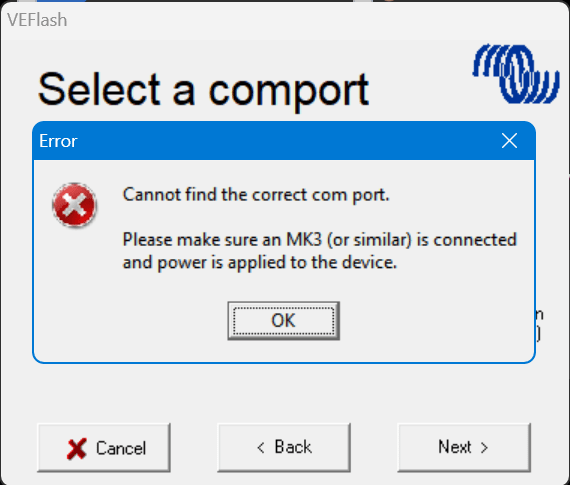
So, then I resorted to VEFlash (which is deprecated and has to be selected explicitly when installing the Victron tools on Windows).
But this did not work either, as it could not find anything behind the MK3:
VEFlash failed to recognise the MultiPlus
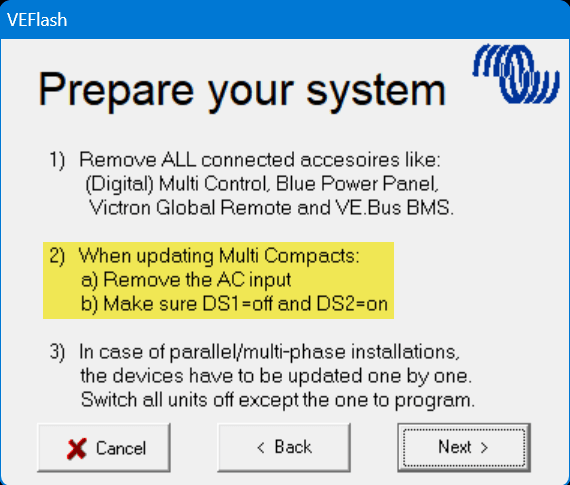
However, having a closer look at the hints VEFlash gave me before the recovery I was confused that VEFlash asked me to unplug the AC power source. How would I be able to update the firmware? Via DC? And why would it matter anyway which power source was connected?
VEFlash hint at not using AC power on a MultiPlus Compact
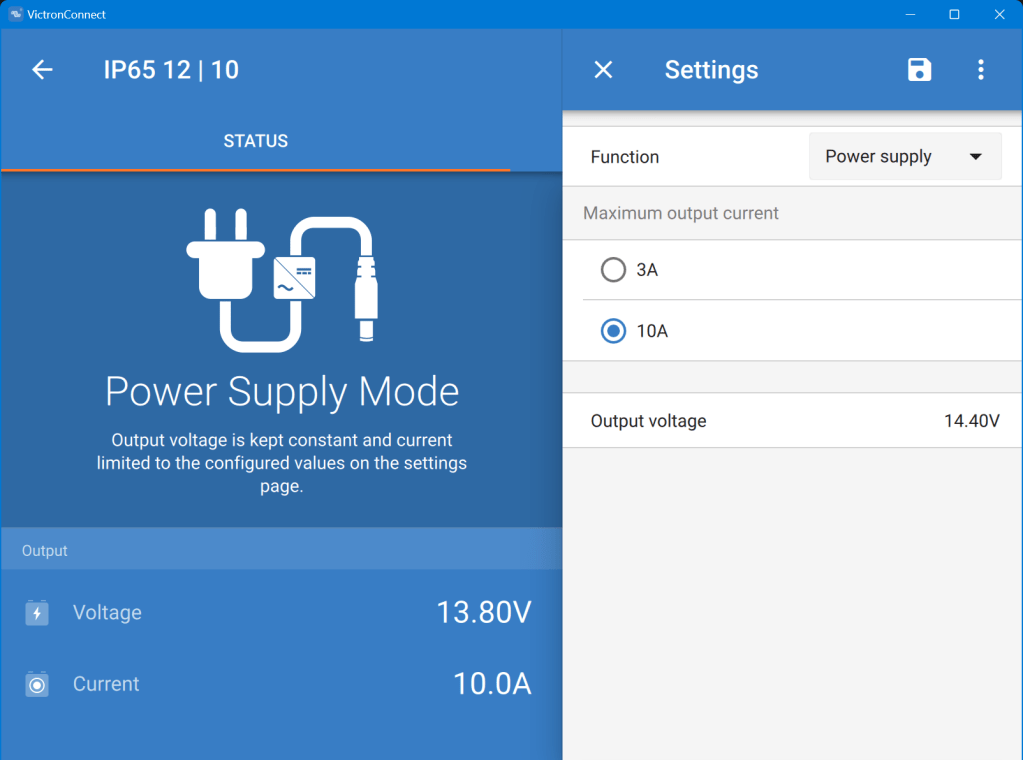
Using a Blue Smart Charger as a DC power source for the MultiPlus
As soon as I connected a Blue Smart IP65 Charger in “Power Supply” mode to it (and configured a voltage of 14.4V) the “Force detection” option in VictronConnect worked.
Note1: I did not alter any of the DIP switches as recommended by VEFlash.
In one of our previous articles, we stated that, due to power, weight and size, we would rather go for a 24V 8s (280Ah) battery configuration instead of 48V 16s.
However, there are relatively few battery cases for 8s battery packs that fit our Eve LF280K cells. And they are pricey! So, instead of spending a 500+ USD per case, I was thinking to repeat what others have done before me: build a case myself. And certainly, I took inspiration from variousothers and commercialkits.
So first, here are my requirements:
Case must fit 8 EVE LF280K cells including all electronics and cabling such as BMS, MCB, GX.
Battery must be pluggable to the inverter via Anderson SB 175 connector. Check: why not use Amphenol sockets/plugs?
Case must not absorp moisture/liquids that would build up from below.
Case must have no external display or buttons (i.e. solid walls).
Cells must be insulated against each other.
Cells must be fixed to the case so the do not fly around when the box is moved.
Battery status should be readable from the box itself (optional).
The case should be usable independant of any BMS.
Battery is meant to be used 1:1 with a single inverter.
Battery must have an integrated MCB that can also act as a mains switch.
Basic considerations
Zerobrain – LiFePO4 – ALLES und noch viel mehr über Lithium Akkus
Of course, there are more questions to be answered. And I took a lot of inspiration and advice from the discussion above and came to these conclusions:
Fire resistance The cells should not involve themselves in a “chain reaction” if a cell becomes faulty. The critical temperature of the cells starts at around 90°C. If something is really getting sideways, the resin board will not withstand any of that at all. But as the battery case will be contained either within an aluminium container or directly inside in an aluminium box, I will take that as a mitigation (only the brave).
Moving and lifting the cells should have a weight of roughly 8* 5.5kg = 44kg; the 20mm resin board weight roughly 3.34kg (13.67kg/m2); BMS, MCB, cables, lugs etc might add another 3kg; the Rako(R) box has a weight of 2.35kg; resulting in a total weight of 52.69kg – which certainly is over the official limit of 32.5kg to be lifted by a single person – but still doable if one has to. For moving the battery box around I have a trolley where the RAKO box just fits on.
Compression Initially I thought, I would *have* to compress. But according to the above video, it seems the is only needed (or recommended) during the initial charging of the cells (to minimise gas bubble inside the cells). And from then on, it is not *required* for a safe operation of the battery, but instead might contribute to an extended cell life – how much? we do not know. So, I will probably only slightly compress the cells by placing them firmly into the frame inside the box.
Layout
So, I started with some sketches in FreeCAD and came up with the follwoing layout.
It should be possible to fit 8 EVE LF280K batteries in a 600mm x 400mm x 325mm RAKO box and still have space for the electronic components. Inside the plastic box there is a wooden structure, so the weight of the batteries is better balanced (the plastic floor might like this).
Batteries will be insulated against each other and fitted with sponge strip. Internal cabling will be fed through the lid where the BMS is mounted on. Cables to the outside (VE.Bus, 2*35mm2 DC, 2* 3-core AC) will be fed through the side wall.
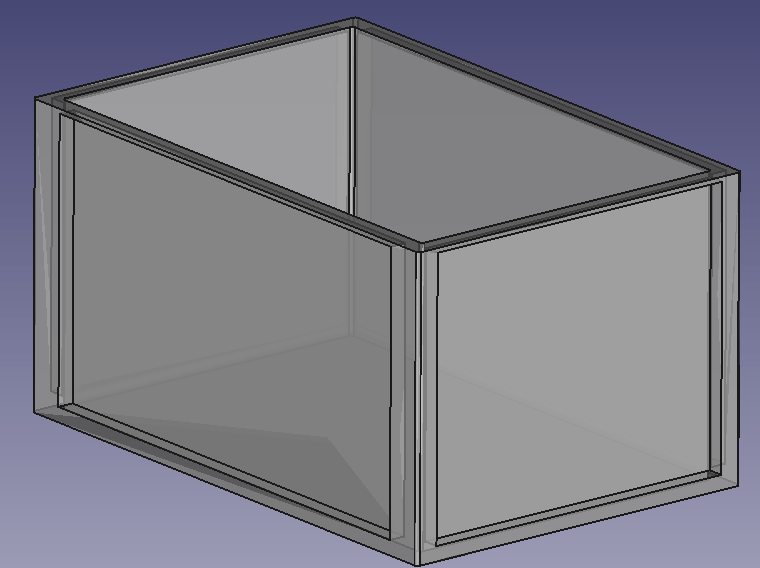
Empty utz RAKO box 600mm x 400mm x 325mmBox with batteries and electronic components on topView of frame with cells inside box
BMS Cabling
I am going to use a 150A JK-BMS for the battery which comes with 2 pairs of 7 AWG wiring (approx. 10.5mm2 per wire). As I am going to have a mximum current of 150A (at 20V; or 117A at 25.6V) this will result in a voltage drop between 0.1% and 0.2% on the BMS cable. For the rest of the cable to the battery I will use a 50mm2 that results in an additional max 1% of voltage drop. The actual connection to the batter will be done via an Anderson SB 175 connector.
The individual BMS cell wires will be fed through a WAGO TOPJOB S 3-conductor through terminal block (with a separate fuse) (or I use a WAGO 2-conductor fuse terminal block – don’t know yet). With this I can easily connect and disconnect the individual wires from/to the cells. And with the 3-conductor terminal block if needed, I can later add an additional balancer to the system without having to rewire the cells either.
The cells will be wired in a regular 8s cconfiguration to the BMS. Both voltage sensors will be placed in the middle of the batteries.
Bus bars
My Eve LF280K cells have 2 M6 thread for each pole. The bus bars that came with the cells (cross section is 2mm * 20mm) were not flexible and only suitable for connecting the poles on the long sides. However, with my 8s configuration, I need 4 connections on the short side and 3 connections on the long side of the cells.
So, I created my own bus bars with the help of 2* 35mm2 DIN46235 M6 cable lugs per connection.
Dimensions: short side 30mm + 29mm; long side 30mm + 80mm (cutting at 30mm for the cable lugs to be crimped).
The Build
So, I with this information I started the actual build. And certainly I made some adjustments to the layout. This is what it looks like:
Case with all the cells on one side
As you can see, I moved the batteries to one side. With that I have more space on one end to install a MCB and leave room for cables.
Updated drawing with cells on one sideWago fused terminal blocks for connecting the indivisual cell wires
Connection of the BMS to the cellsCase with cells covered
The BMS rests on a board that can be fixed to the side walls. I intentionally left some space between both boards to have room for the temperature sensors. On the right hand side, we see the BMS wires connected to the terminals. With this it is easy to see which cable goes where. I could have cut the BMS wires. Maybe I will do this later.
As the DC cables were quite stiff, I used a screw to support a 90° angle on the cable going out of the box. The screws are fitted with electrical insulation wire. Let’s see how long this holds up.
Victron MultiPlus-II 24/3000/70-32 with Neutrik connectors
The inverter now has Neutrik panel connectors. I used a 24mm and 29mm hole saw for this. With this I do not have AC cables hanging out of the inverter. The connectors are rated for 16A (VDE) or 20A (UL). I set the maximum current on the inverter settings (as the inverter supports up to 32A which is beyond the capabilities of the socket).
Of course, the DC cable is still present. Maybe I can install a socket for that as well.
Inverter with battery
Above you see the “final” case. The battery is connected via Anderson SB 175 to the inverter. The battery cables fits into the case when not in use.
Not seen on the picture. The inverter has been fitted with a Siemens 16A RCBO for AC out. And inside the case is a non-polarised Thomzn 125A DC MCB.
The BMS charge and discharge current is set to 125A (though the inverter only supports up to 70A, and in reality only seldomly charge with more than 63A).
The Specs
With this inverter/battery duo, I have a system with a nominal power of 7168Wh that can deliver 2400W of constant power (below the 0.5C rating of 140A). Down to a cell voltage of 3V I can make use of the full power (then running at 125A). As the current minimum cell voltage is configured to 2.55V I always have a minimum power of 2550VA (or 2040W). But in reality I have never seen all the cells at the minimum voltage at the same time.
The case weighs around 51+kg and the inverter is around 20kg.
The maximum charge current of 70A @24V result in a maximum charge power of 1680W. So theoretically it takes slightly over 4h to fully charge the battery. In reality we can expect the battery to be charged around 20% per hour. A real life test shows that within 3h we can charge from 20% to 85%.
The Aftermath
What went well, what went wrong? Here are some of my thoughts:
The case looks and feels solid when lifted. So I really think the weight will not by a problem, though the RAKO box is not certified for that weight. I think, I could have used even thinner plywood and that would have saved some additional space.
Moving the cells to the right made more space on the other side, so I was able to fit the DC cable with the Anderson plug into the case as well (in addition to a MCB).
Creating the bus bars was relatively easy. The cable is still quite stiff. And the longer bus bars bend over the edges. That is why I had to add an extra piece of board to the sides.
The JK BMS wires are very fine strained and hard to get into the lugs (it literally took me over an hour to connect the 4 wires).
The addition to the fused terminal blocks makes the cabling much cleaner. But the WAGO terminals are not cheap.
Unfortunately, with my JK BMS the cables are soldered to the BMS and cannot be replaced. I think 2* 7 AWG is relatively small/thin. I would have preferred 2* 35mm2 (as for the bus bars). With the new JK BMS model there is the option to connect my own cable to the BMS.
This version of the BMS comes with a power button, making it much easier to turn it on than before. No need for a DC power source with higher voltage than the cells.
Fitting the cells into the case (with some compression) was easier than I thought. I used some insulation board between the rubber and the board to push it between the frame and the cells.
I actually do not use the RS485 option for this standalone installation. The BMS seems to take care of the the charge and discharge currents. And if I have really have to know the SOC, I connect via bluetooth to the BMS directly. And I only use the VE.BUS connection with the VictronConnect App when I want to change or limit the AC input current. For this I use the VE.BUS bluetooth dongle.
Having the Neutrik connectors makes it much easier to disconnect the inverter when moving.
Regarding the Neutrik panels on the inverter. I could not fit them in the holes where the AC wirng would normally go through, as the cable clamps were in the way. So I had to use the space between the ventilation slots. It is quite fiddly to get them screwed onto the cover. I used a 24mm and 29mm hole saw with M3 x 20mm hex bolts and M3 hex nuts for it.
The integrated RCBO saves me from having a separate elecitrical panel.
Maybe I change the DC connectors to Amphenol sockets as the SB175 is quite bulky. (update on this: probably not; they are quite expensive and only have 50+ connection cycles guaranteed; plus, it is not specified if they can be switched under load)
The cost
Here is a rough estimate of the accrued cost for this build:
Estimate for the material used for this build
If I only count the cost for the case (excluding cells, inverter, BMS) I come up with approx. 400CHF/450USD/350GBP/400EUR. So it seems, that I could have bought a prebuilt case for nearly the same amount of money, right? True. But … with this case, I have the exact dimensions that I want and with much less weight. And with the exact components I want. Plus, I can repair (if needed) everything by myself, as I completely know how it was built.
Let’s see what I will change on the next case I build.
Updates
Here are some hints and thoughts that arose after I wrote the article.
Getting the cells into place I used a 12mm marina plywood with an extra sheet of insulation board, so the board could “slide” (be pushed) between the frame and the cell. I used a planer with a depth of 0.5mm to cut away just as much so I could just firmly squeeze it in.
Frame and any wooden part in general It is a good idea to grind the surface of the wood facing the cells to remove any pieces sticking out that could damage the very thin insulation of the cells.
Insulation boards At first, I cut the insulation boards from a 250mm x 500mm board. I found it the easiest way to use a drawing pin to mark the cut and then bend it bothways. But this means we have to do 5 cuts for getting 3 boards – that takes time. So, I now have precut 170mm x 200mm insulation board with rounded corners. Much easier to handle.
Fixing the M6 bolts to the contacts I used an insulated torque ratchet wrench (4Nm) to tighten the bolts to the contact.
For the cable lugs I used Klauke M6 35mm and 16mm DIN 46235 cable compression lugs.
For the cell voltage sense cable I used 2.5mm wires (I know, 1.5mm would have been more than enough, but it was the only wire size I had). The JK-BMS supplied voltage sense cables were fitted with uninsulated ferrules, so they would fit into the WAGO 2002-1681 terminal fuse blocks.
Regarding cost The other day, I saw Pylon US3000 3.55kWh Lithium Battery being sold at CCL Components for 860.06GBP (excl. VAT). This includes a 19″ rack metal case, a BMS, connectivity and the cells and equates to roughly 269 GBP/kWh. Quite a bargain! Why making your own battery (case) any more?
I will replace the 24s BMS with an 8s version so I can use 35mm2 cable all along. Plus, I will use two pairs of 35mm2 cables from the inverter to the battery. That also means, I will have 2 separate 63A DC MCBs instead of a single 125A MCB.
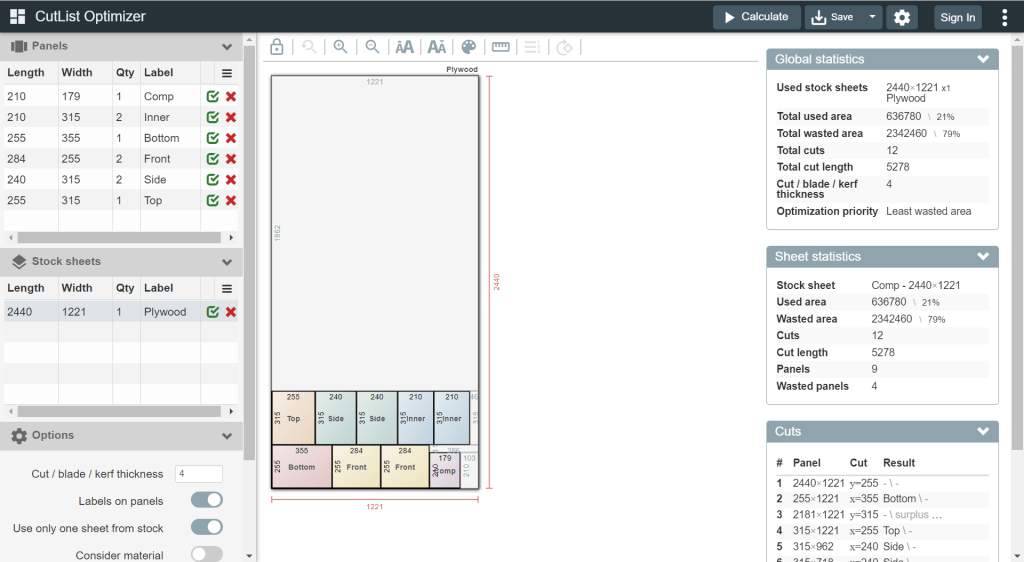
Cutting the plywood
I found web site that offers help in cutting rectangles in a more efficient way that I could come up with: Cut list optimiser. The board for the case could be cut like in the image shown below.
Some years ago, we bought a Autoterm 2D diesel heater with a waterproof box. This heater actually needs an external 12V power supply (or a 24V power supply, depending on the model you buy). Until now, we always connected this to one of our 12V leisure batteries. That meant we always had to carry a long 12V extension cable with us. Not any more …
Since we had such a good experience with our mobile shower via USB-C that originally also runs on 12V, I went looking for more devices with a 3A @ 12V power requirement. And according to the data sheet Autoterm 2D just is such a device. The manual states a power requirement from 10W (min 800W heating power and 34m3/h) to 29W (max, at 1800W and 75m3/h).
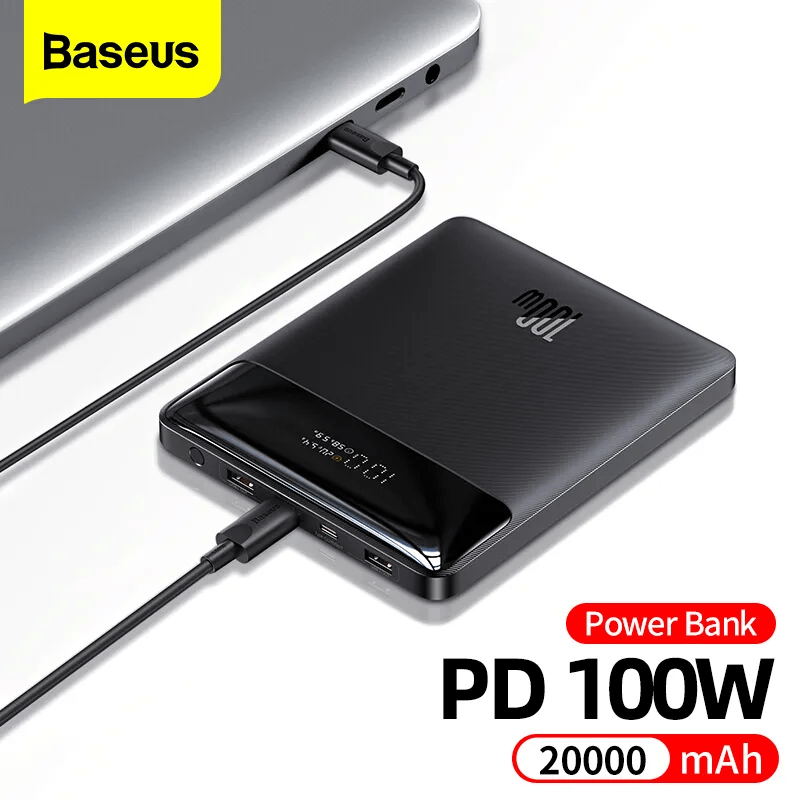
So, I got myself a Baseus 100W Power Bank 20Ah from Aliexpress that can deliver the required power. With this unit the diesel pump can be powered for approx 2.5h at full capacity and approx 7.5h at minimum capacity.
Actually, any power bank with USB-C PD that delivers 3A @ 12V could be used. And if you take a power bank with a higher capacity the heater will certainly run longer.
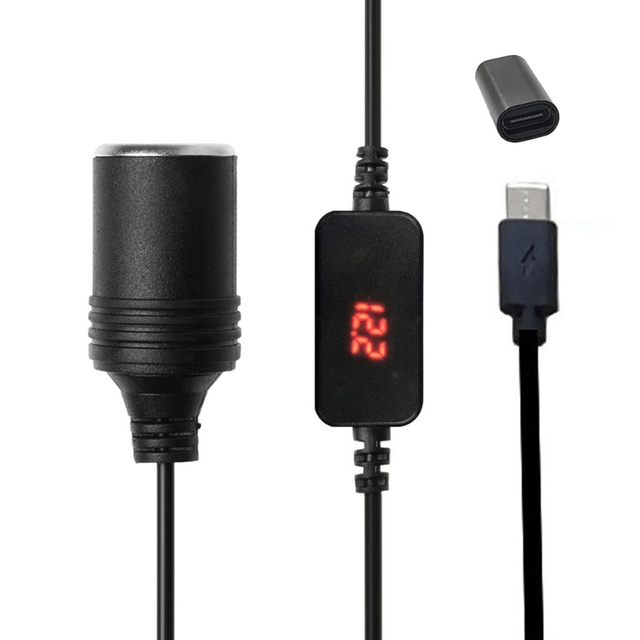
USB C PD Type C Male to 12V Car Cigarette Lighter Socket, taken from Aliexpress
In my opinion, the advantages of this approach are:
Flexibility: we can carry the power bank along with the heater and do not need to keep a 12V power source (leisure battery or else) nearby. An option to power a power bank is probably easier to find than a 12V source. Especially true for our trailer with a 24V battery.
Price; power bank is around 51CHF and the converter 5CHF (and the battery 1700CHF) . Compared to the other heater we have, the Profidurium Mobile-Heater 2kW, this is much cheaper. The additional battery with charger costs an additional hefty 970CHF (on top of the 2300CHF for their heater).
Weight: 400g for a power bank is a neglectable additional weight compared to a full blown battery.
The other day, I connected my BYD Battery-Box Premium LVS 8.0 to a Victron MultiPlus-II 48/3000/35-32. Here are the steps I took to do it and some errors I ran into.
The Battery-Box needs to communicate via CAN with the inverter. And as Victron inverters do not come with a CAN port by default (unless you go for a MultiPlus-II GX or EasySolar-II GX) we need a GX device. Originally, I wanted to use my Victron Cerbo GX for that, but since we moved into the caravan the device is gone missing. Luckily last year, I supplied myself with a couple of Raspberry Pis (at least model 3and 4 are supported) that could run a Venus OS and act as a GX device. And as I was not the first one doing that, I thought it would be just too easy – well, it was easy after I did everything right.
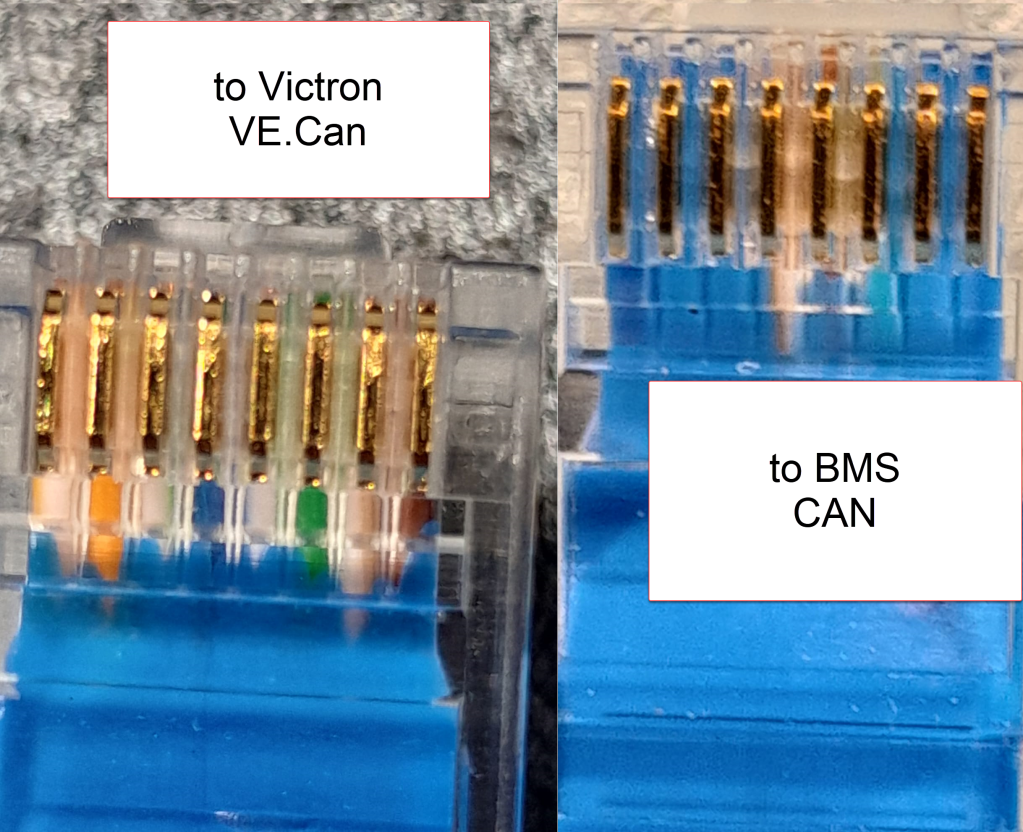
Normally, Victron requests to use a VE.Can to CAN-bus BMS Type A cable to connect to a BYD battery. This is actually an ordinary CAT 5e network cable with RJ45 connectors where only the relevant CAN pins (and GND) are connected.
In order to screw the wires to the CAN hat terminal, I used uninsulated ferrules. Otherwise the Cat 5e wires would have been too soft and light for the terminal.
Installing Venus OS on the Raspberry PI 4
For the Raspberry PI 4, I followed the documentation and installed the standard (and not the large) image. At that time, v2.93 was the newest version (see here for directory of all versions). I uncompressed it and used Win32DiskImager to write the OS to a MicroSD card (all done on a Microsoft Surface Go2 running Windows 11).
Note1: at first, I did the install with a Raspberry Pi 3 Model B V1.2 which also worked fine. However, the CAN device on the Victron UI then did not show any packets but worked without problem.
Note2: The Raspberry Pi 4 is a model B Rev. 1.5 (I mention this, as I saw comments that indicated that there might be a difference between different revision from 1.2 onwards).
Note3: I activated the “Mobile” tile to be able to change the charge current via the overview screen.
The CAN driver then had to be installed separately. As I did not have direct internet access from the Pi, I used the offline install method with a USB memory stick.
As written in the documentation, I copied the compressed installation files as venus-data.tar.gz to the root of the USB drive and restarted the Pi. To verify the automatic installation was successful check if there is a new menu item Package manager at the end of the Settings list. If not visible check if you can find SetupHelper in /data. You can always manually copy it from the SDCard (use mount to see where the card is mounted) and then run setup yourself. I did a reboot after every package.
New menu item in Settings after installation of SetupHelper
Same procedure here. Copying the compressed installation files to the SDCard as /venus-data.tar.gz. Then run the package installation manually if for whatever reason the automatic install does not succeed. See below what the package manager should look like after the installation of both packages.
List of active packages in Package manager
Installing the driver
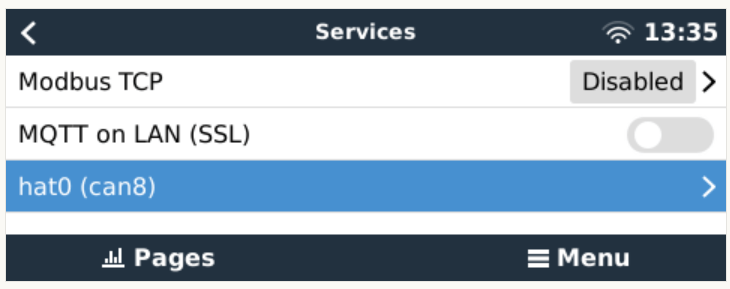
Configuring the driver had to be done from the terminal. There was a minor issue for me which I did not get right the first time. When asked to install an interface via the i option I actually had to type in a hat. I named the device hat0 and after the reboot it showed up as hat0 (can8) can8 spi0.0. In my case it was the “Waveshare 1-channel CANbus Hat 12 MHz crystal” (check the imprint on the silver part on the hat to see the crystal speed).
Configuring CAN bus
There is really not much to configure. The only option under “Services” is to set the communication speed which is 500kB/s for BYD. If the CAN adapter does not show up make sure the correct type has been selected in VeCanSetup. For me it just worked out of the box.
CAN hat showing up in ServicesSetting the CAN speed for BYD Battery-Box BMUConfigured CAN bus
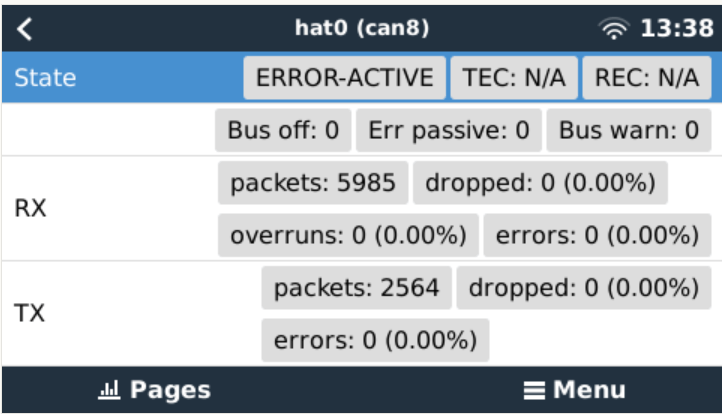
Before the BMS is connected the CAN should show up as ERROR-PASSIVE. As soon as the communcîcation worked it changed to ERROR-ACTIVE.
CAN bus ERROR-ACTIVE with actual traffic
Note: When I tried with the v2.93 on the Raspberry Pi 3 the RX/TX counters were always empty (but nevertheless worked). Via ifconfig the packets were correctly shown. But with the Pi 4 traffic was shown on the UI right from the start.
CAN bus traffic via ifconfig
I did not connect the CAN cable at that point but configured the Battery-Box and the inverter first.
Commissioning the inverter
I used a USB MK3 adapter with an RJ45 Cat 5e cable connected to the VE.Bus of the inverter to configure the MultiPlus.
I used VEConfigure 3 and VictronConnect (to be able to configure via VictronConnect I had to use the zzz password to get out of the read-only mode).
First, I updated the firmware of the MultiPlus via VictronConnect and then continued with VeConfig.
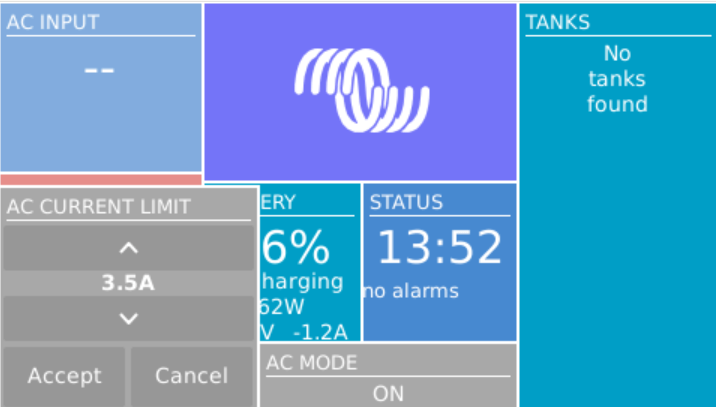
Basically, I set the inverter to off-grid and did not enter a country code. For the battery type I selected “Lithium Iron Phosphate” and accepted the default settings. I set the “AC current limit” to a maximum of 20A (the maximum my generator could handle) and activated the option to have it overruled by “Remote” (which can also be done via the GX Remote Console or VictronConnect).
Setting AC current limit via GX remote console
I also activated DVCC to later have the BMS tell the inverter when to charge and how to discharge. This was pretty much it. So I connected the MultiPlus via the VE.Bus and the MK3 cable to the Raspberry where it showed up instantly.
Inverter shows up after connecting VE.Bus to the Raspberry via MK3
Commissioning the Battery-Box
After assembling the battery which conisted of only stacking both battery modules on top of each other followed by the PDU on the very top I connected the BMU via the grey RJ45 to the PDU. After turning on the top most battery the BMU started as well and I was able to connecto to the WiFi of the BMU from the BeConnect app (Android or Windows both worked for me, the latter actually showed more information).
Via the app I pre-downloaded a current firmware and after switching to the BYD access point I applied the firmware (actually two different firmwares). After some waiting the new firmware had been applied and I could configure the basic settings: inverter manufacturer, number of battery modules.
At this stage I connected the 35mm2 cables from the battery to the inverter. I bought the cable preconfigured with the battery. And I used a Littelfuse JLLN-125X (class T) as a fuse between both devices.
Connecting the battery to the Venus OS
And then I connected the BMU to the GX. After some seconds, the inverter clicked and started charging. Essentially, DVCC turns on automatically (even if turned off before) as soon as the CAN communication is established.
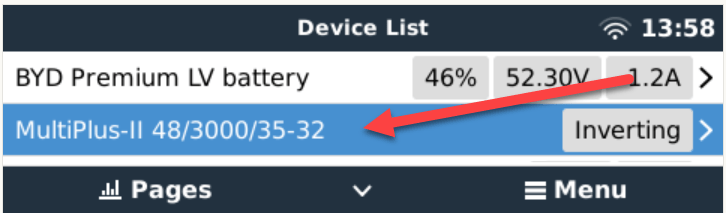
In the GX overview the battery appeared and gave some additional information (see next section for details). All parameters between battery and inverter were exchanged automatically.
Things I noted
The battery turns itself off after a while when no communication via CAN is possible. This behaviour is described somewhere in the BYD manuals.
Charging the battery does not work when no CAN connection can be established. The inverter stays in “Absorption” mode with a current of 0A.
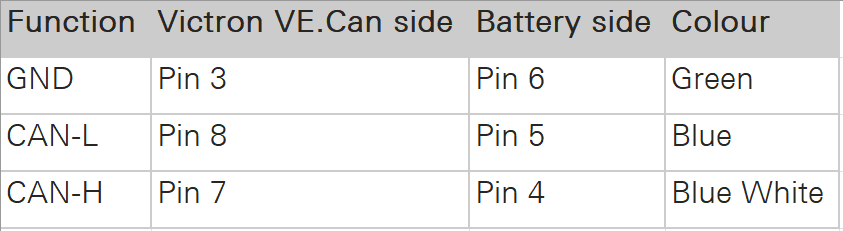
A more detailed description of the pin layout can be found on the BYD manuals. See images below.
The GND pin is not required for communication between the BMU and the VE.Can GX. Only BLUE for CAN-H and BLUE-WHITE for CAN-L are going into the CAN hat.
In addition to the official web site bydbatterybox.com the web site eft-systems.de provides additional information and downloadable documentation.
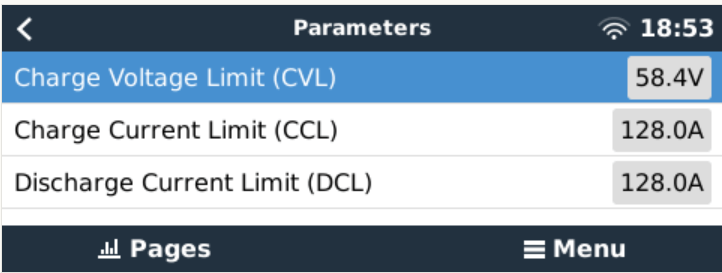
When charging the Battery-Box for the first time, I eventually reached a 100% SOC. Until that point the charge current stayed nearly constant at around 30A (Bulk). It decreased to around 1.2A and the inverter turned to “Absorption” but never stopped charging. At some point one of the cells reached a voltage of over 3.7V which resulted in a warning on the GX. Nevertheless, charging continued. I manually switched off the charger after the second time I received a warning due to high cell voltage. I would have expected to have the inverter automatically stop charging at a 100% SOC. Maybe the BMS only measures the charge voltage limit (CVL) which is defined as 58.4V and not the individual cells?
The cells in a battery were not really well balanced (delta >= 100mV). I would have expected a better balancing. Actually, I do not know if the BMS has a balancer at all. I could not find anything in the documentation.
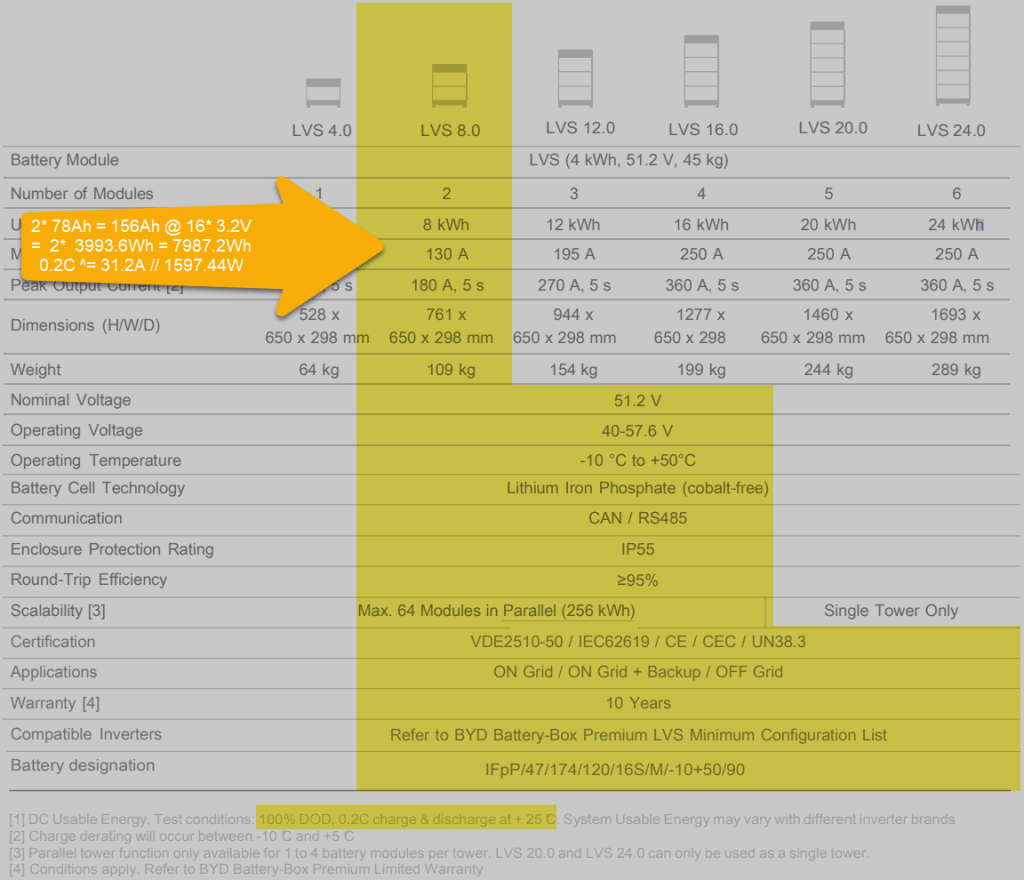
Each LVS 4.0 has a capacity of 78Ah @ 51.2V = 3993.6Wh. The GX shows this information in the “Details” item within the battery. I could not find this information in the manual.
The BYD manuals state, that the lifetime of the battery can only be achieved at 0.2C, which limits a single LVS 4.0 to 798.72W (or 1597.44W for a LVS 8.0) – this is a ridiculous small amount.
Charge current was initially restricted to 38.4A by the battery, only after a day or so, the charge (CCL) and discharge current (DCL) went up to 128A. In my case the inverter only support 35A max, so no issue with that.
Startup sequence Start top-most battery first by pressing the power button for a couple of seconds; then start the BMU if not automatically started; next start the inverter; then start the GX (in my case currently on the AC side).
Shutdown sequence Turn off the inverter; turn off the BMU; turn off the individual batteries (keep buttons pressed for a couple of seconds); GX turns off automatically.
Adding a CAN hat in VeCanSetup needs to be entered literally as a hat.
Though I set the AC charge current to 20A the inverter only drew 16A at most.
The WiFi of the BMU cannot be changed, nor the password.
BYD RS485 CAN pin layout, taken from the BYD BMU maualBYD to Victron CAN pin layout, taken from the BYD BMU manualBYD Battery-Box voltage and charge limitsSpecification of BYD LVS 8.0, taken from the BYD manuals
Future improvements
I want to connect the Raspberry to the DC side with a 48V/12V step-down converter and a 12V to USB-C adapter. Inbetween I want to add a power bank, so the GX can be configured even if all power sources are down.
Replace the CAN hat with a USB CAN adapter
Strengthen the connection of the CAN wire to the CAN adapter
All in all, the installation was straightforward. A couple of uncertainties are probably normal when doing this the first time. I would have expected more documentation (articles, videos) for this to be around. But I could not find anything for a BYD, Victron, VenusOS via Raspberry setup. Maybe others are only using a Cerbo GX?
The batteries are well built (all IP55) but extremely bulky and pricey. With around 400 CHF per KW this is more than 300% of regular LiFePO4 cells. But nevermind, lead and delivery times are in the magnitude of months.
I would have liked the BMU to be integratable into one of the PDU boxes. Now it is just hanging around separately.
Would I buy another Battery-Box? Probably not – too pricey. But good for starters. Plug and play when used with Victron and a Cerbo GX.
We currently use the shower, Brunner Aquafresh 2.0, in our Caravan instead of the built-in shower with the boiler to reduce the risk of legionellae and to conserve power.
We heat the water with a 2000W immersion heater which takes around 25min to heat the water to 43°C from 15°C (see the post linked above for more details on time and power requirements). And make sure to stir the water after heating before use.
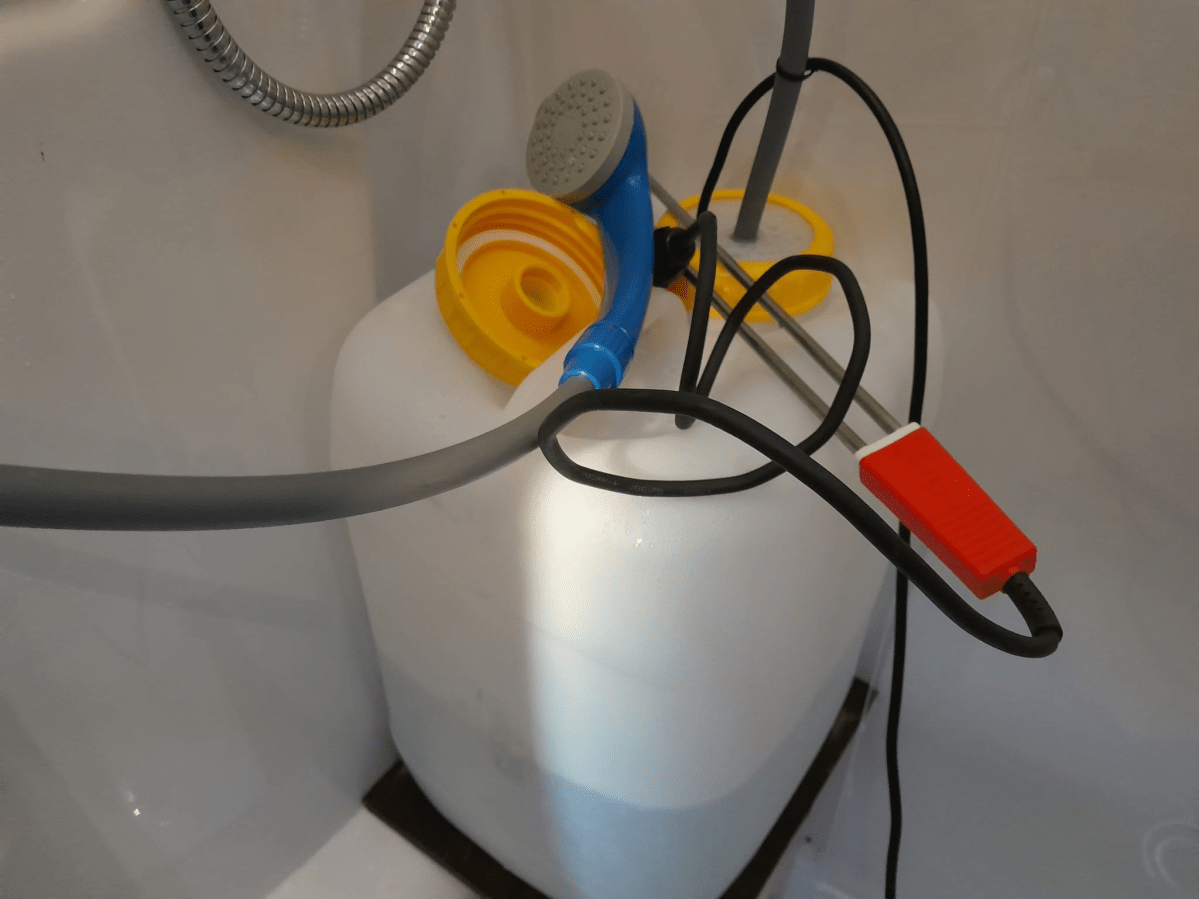
The water is kept in a DIN96 20l wide-neck container from Comet with a special dust 2-hole cap to fit the hose and the elecitricity cable into it. The pump itself has a standard 12V car/cigarette plug that connects to a USB-C trigger board that takes it power from a USB-C power bank with Power Distribution (PD) 2.0.
Everything is kept within a 30mm PIR tube and glued together with hot glue. This does not look to nice but it works. To further “water proof” the device I keep it in a plastic zip-lock bag with the opeining upside down. See below for an even easier option for this.
The on/off-switch on the shower itself is not waterproof – but until never got too much water to produce a short.
To actually get the hose and the electricity cable through the plastic cap of the container I cut away the switch (as it could not be opened) and connected a new one (from Steffen, bought at Landi for 1,50 CHF).
The power bank must be able to deliver 3A @ 12V (the pump has a nominal power consumption of 35W). Water pressure is ok, but not great. Two people can consecutively shower from a 20l container (without washing long hair, of course).
Video: Quick review of our 12V USB-C mobile shower
We also use it in our cars as a mobile shower. On the road we only have a 1000W immersion heater, so heating up the water takes twice as long. But in the summer the initial temperature is much higher so it slightly compensates the total time needed.
UPDATE: instead of going through the hassle to build a USB-C to 12V converter yourself, you can also buy this item from Aliexpress. It is a sealed USB-C to 12V converter. It is much smaller than the tube-based device and costs only around 5CHF, but has no fuse.
Note, that there is a version with and without converter. I went for the version with the converter and with a cable length of 300mm.
USB C PD Type C Male to 12V Car Cigarette Lighter Socket, image from aliexpress.com
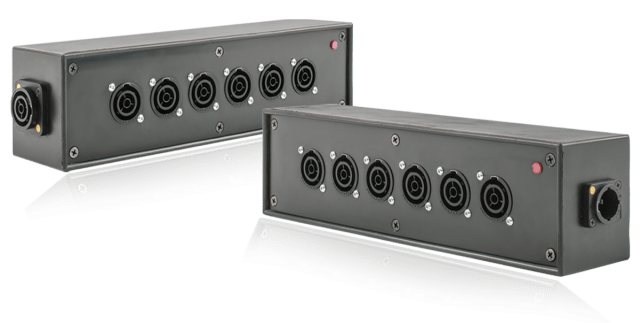
Recently, when I converted most of my electrical sockets and connectors to Neutrik powerCON True1 TOP, I was looking for a Neutrik power distribution. After some failed tests to build a box myself from an junction box, I found a product called Mini Brick from an italian company called Valentini which was sold via Distribution Zone in the UK for a retail price of 145 GBP (174 GBP incl VAT).
The box is essentially a 6-way (and not 7-way as shown above) power distribution rated up to 3500W (nearly 16A @ 230V) and has a red status light to indicate if it has power.
Build quality is very good (metal or hard plastic case, rubber coated); and the price is also understandable, as the chassis connectors alone would cost around 60 GBP. However, I was not totally happy with it due to is relatively massive form factor: L80mm x W75mm x H300 mm plus connectors.
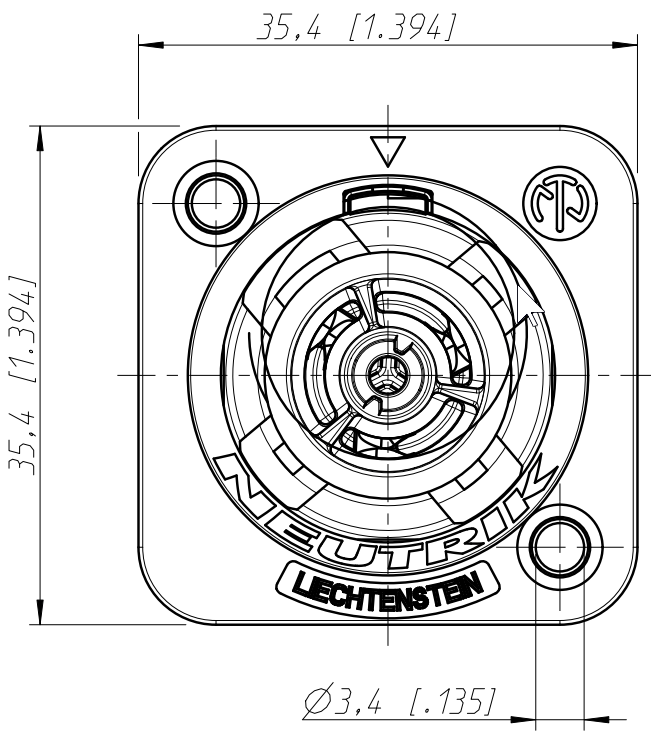
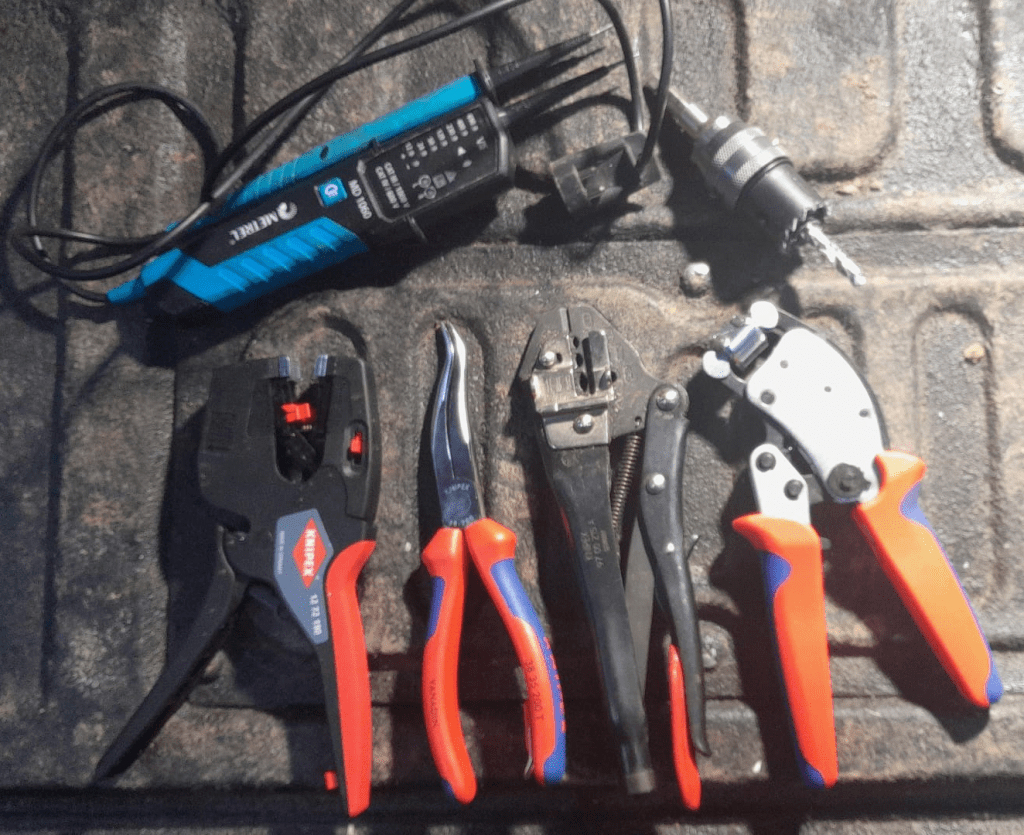
To cut the holes for the chassis connectors into the case, I used a Hilti 30mm hole saw with my Wabeco drill stand. Drilling the duplex chassis connector obviously needed 2 holes and a cutting away some excess plastic (later on I found out that a 25mm diameter is better suited for the smaller part of the duplex connector):
Opening for the Neutrik NAC3PX-TOP duplex chassis connector
Note: one might be even able to use 29mm and 24mm holes, see the detailed drawing – maybe I try this next time.
To mount the chassis connectors onto the box, I used M3 screws and hex nuts (I could not find TX versions) which I drill with a 3mm Hilti HSS-Cobalt drill (yes, overkill – but the only drill I had at hand). Unfortunately, the screws were a slightly too short, so it was a little bit of fiddling to get the hex nuts onto to the screws.
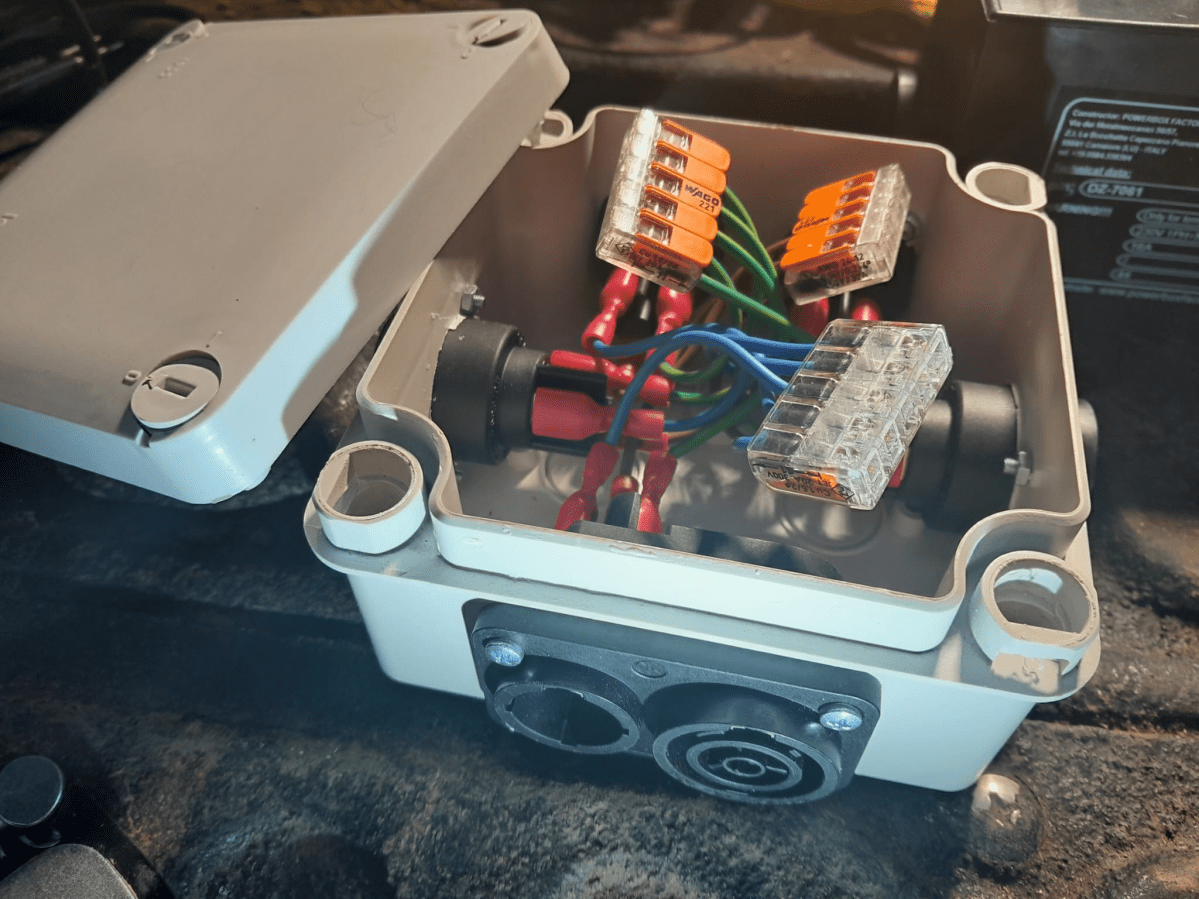
After all the Neutrik connectors were installed, I wired them to a 5-way Wago 221 COMPACT series splicing connector (221-415) with fully insulated blade receptable connectors (1.5mm2, 0.8mm, 6.35mm) to the socket and with 1.5mm2 ferrules to the clamp.
After assembly I did a final connectivity test to ensure all wires (L, N, PE) were correctly connected. As the duplex connector has a different wiring layout, it is easy to mix things up (PE is in the middle and not at the side).
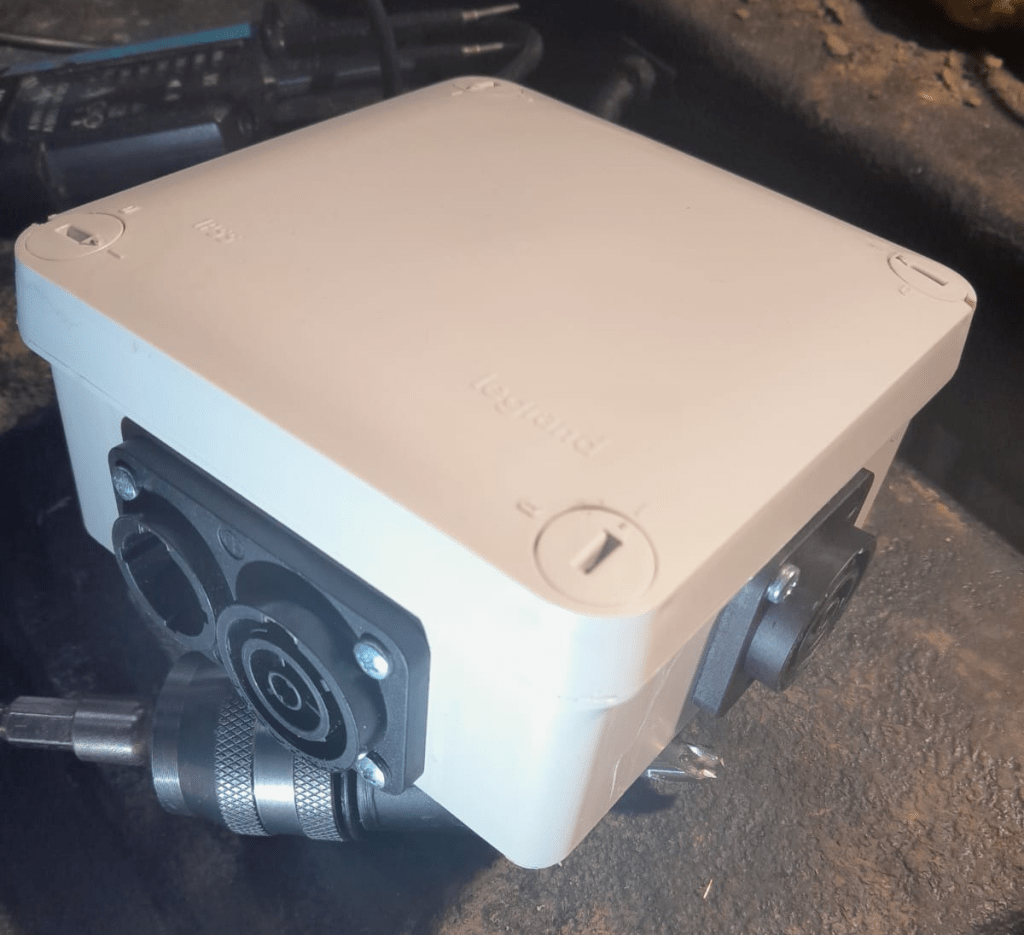
5-way Neutrik powerCON True1 TOP distribution in a LeGrand Plexo junction box
The end result is not as sturdy as the Mini Brick, but much lighter and smaller. And if I ignore the amount of labour I put into the build, this box is certainly much cheaper.
Video: 5-way Neutrik powerCON True1 TOP distribution box made from LeGrand Plexo
And as usual: electrical installations can be dangerous – only have them performed by qualified personnel.























 Our Journey to Scotland