Building a 4-way “industrial looking” junction box

Note: this post continues our adventure of converting a workshop into a flat.

After the successful build of the terminal blocks of our distribution enclosure I continued to design a junction box for the electric wiring in the rooms.

First, I had to decide on the maximum number of connections I would expect to have in a single junction box. I came up with the number of 4. And here is why:

Most of the time, we will have a standard “Tee” to either connect sockets or to distribute to a different part of a room; and sometimes we will have a “Tee” and additionally connect a socket which will be a Feller 2xT23 Standard to which we run 5-core (3LNPE) to distribute phases. Besides, much more than 4 connections to and from the box would be difficult to achieve.

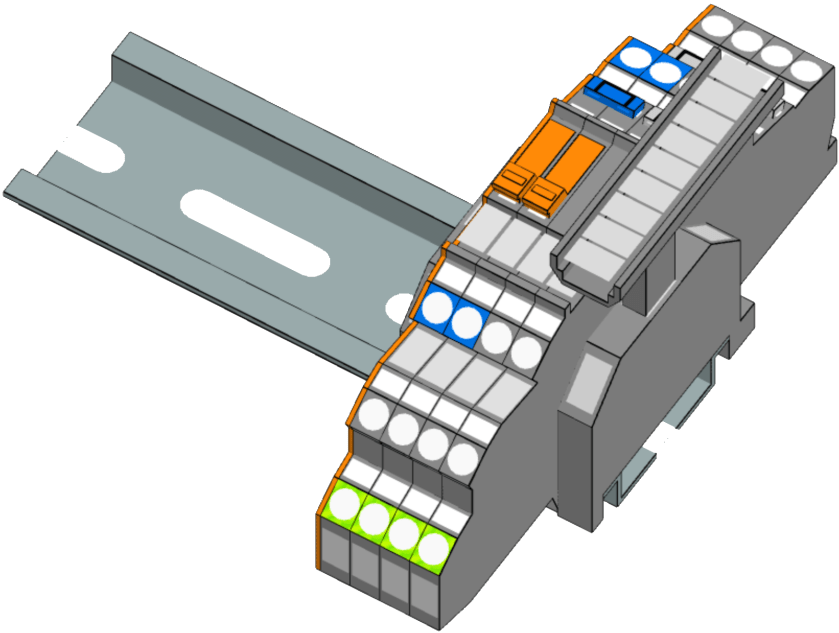
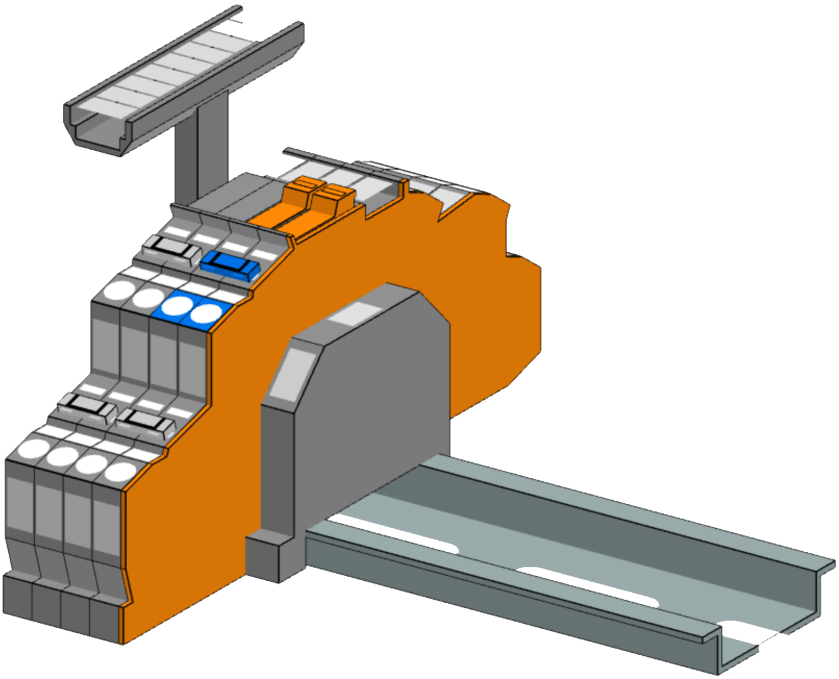
In order to facilitate testing and maintenance, I decided to equip the junction boxes with a neutral-disconnect. For this the Wago 2003-6641 comes in handy (which is much harder to get than the Wago 2003-764x models). It has a lever with a “disconnect knife” that cuts the neutral. As I want a 3LNPE 4-way junction, we have to use 2 of these next to each other with a jumper. That means, depending on what circuit we want to test, we have to remove that jumper as well.

Our initial version would therefore look like this and would fit easily within 2 modules (including stop-ends):
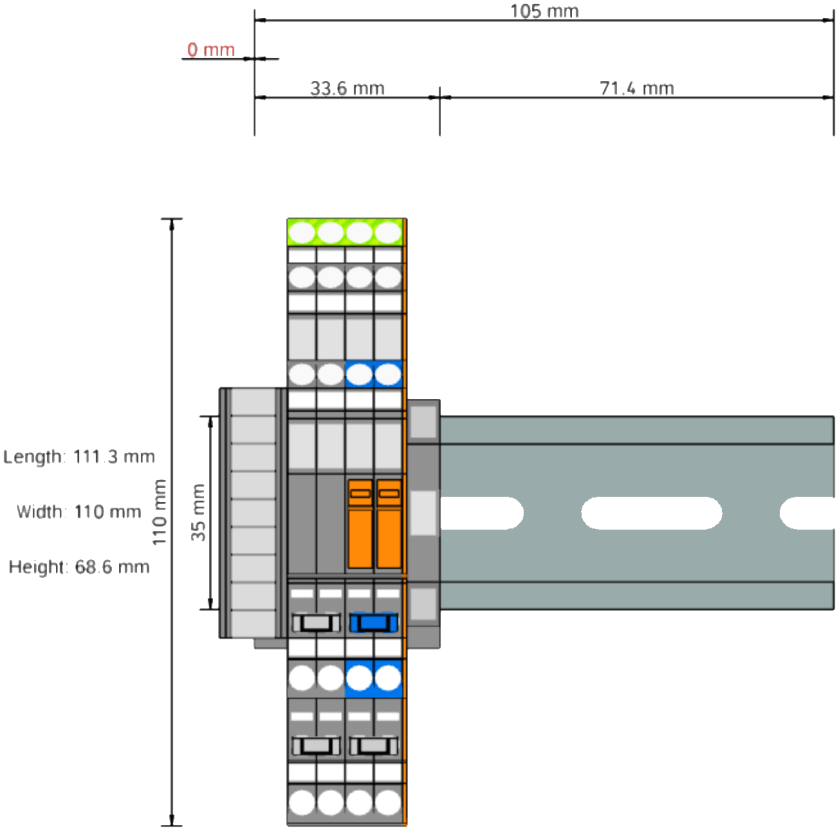
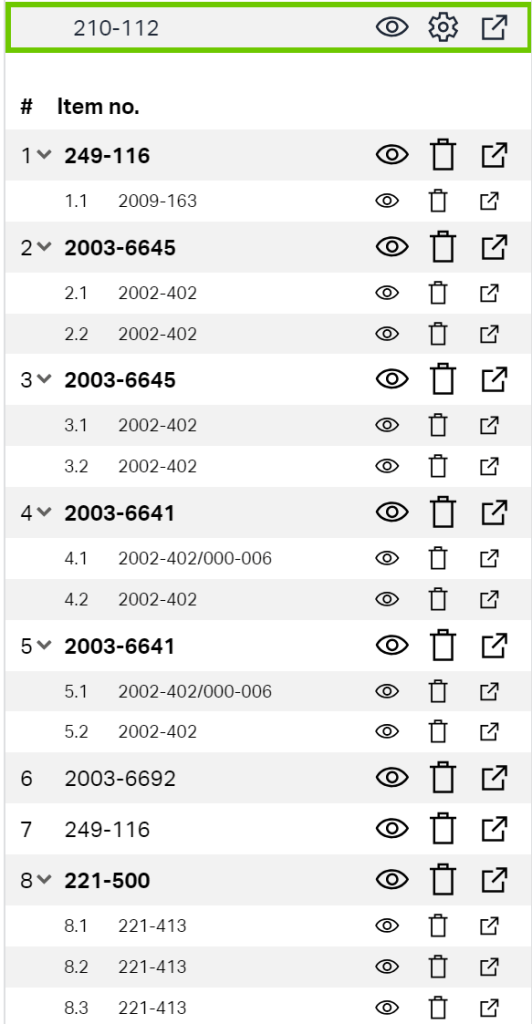
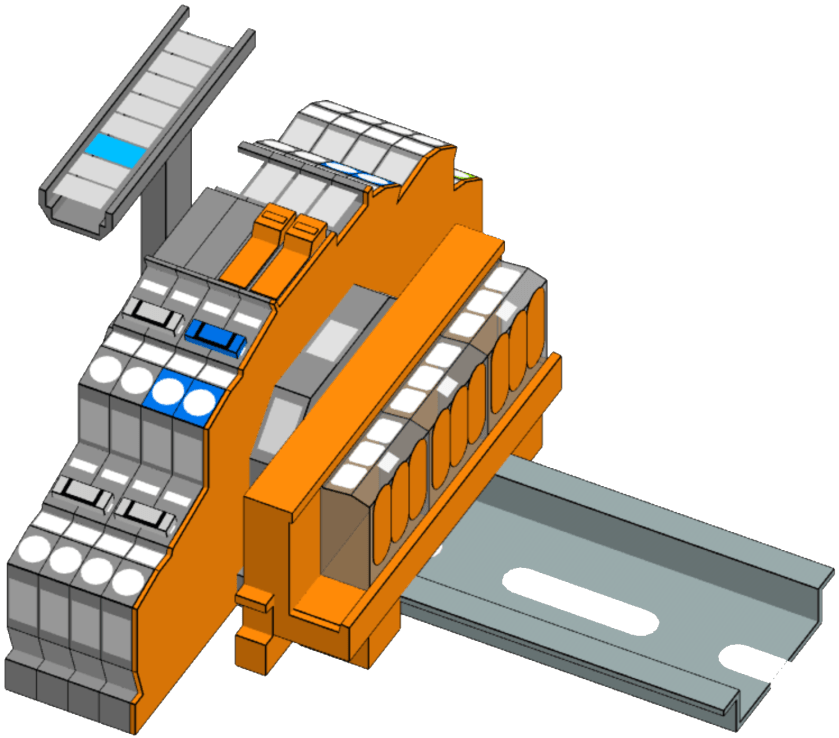
For most of our lights we want to use an Intertechno radio receiver to switch the loads. We already have some existing ITL-1000 which we will be repurposing for this conversion. However, there is also a newer version, the ITL-2000, which can switch two 1000W loads independently – which is actually the preferred way. But this means we have to split the neutral and have additional PE terminals. For this, we use the “Tested and Approved” (anyone remembering this from the 90?) Wago 221-413 connectors mounted on a mounting carrier. So, here is the final layout:
But to make this junction box look “industrial” we have to find a suitable enclosure. In my opinion it must have a transparent cover. Like this (which I found on Amazon):
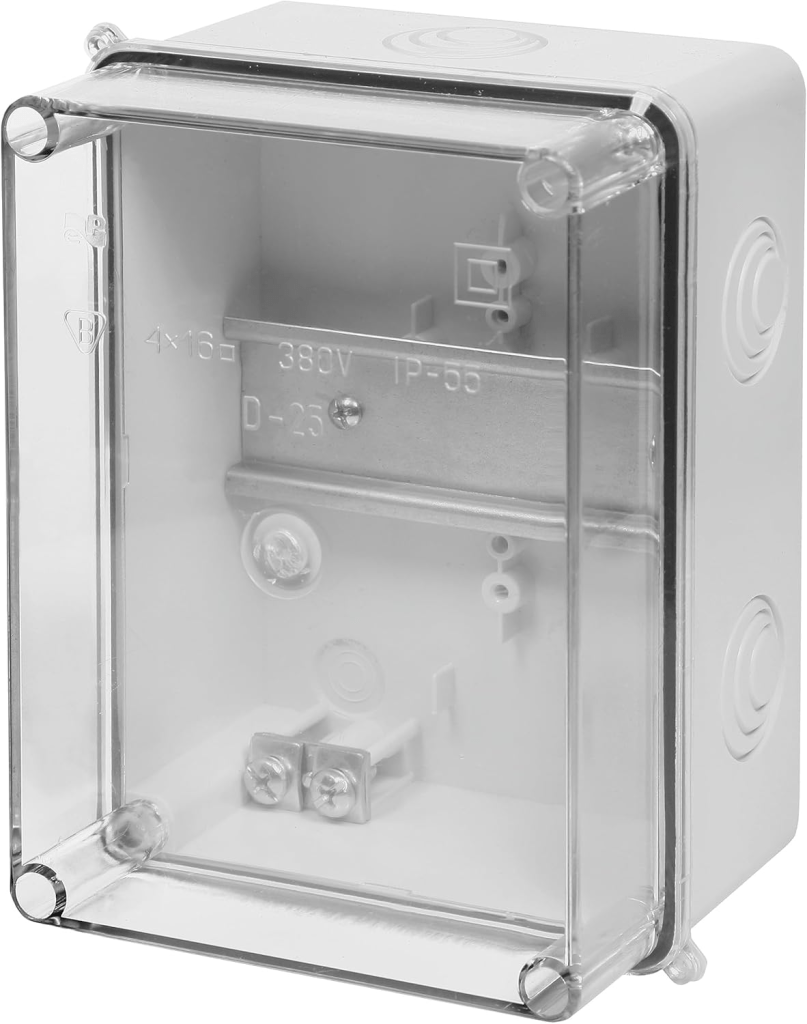
Junction box with transparent cover, image taken from https://www.amazon.de/dp/B07BM58W29

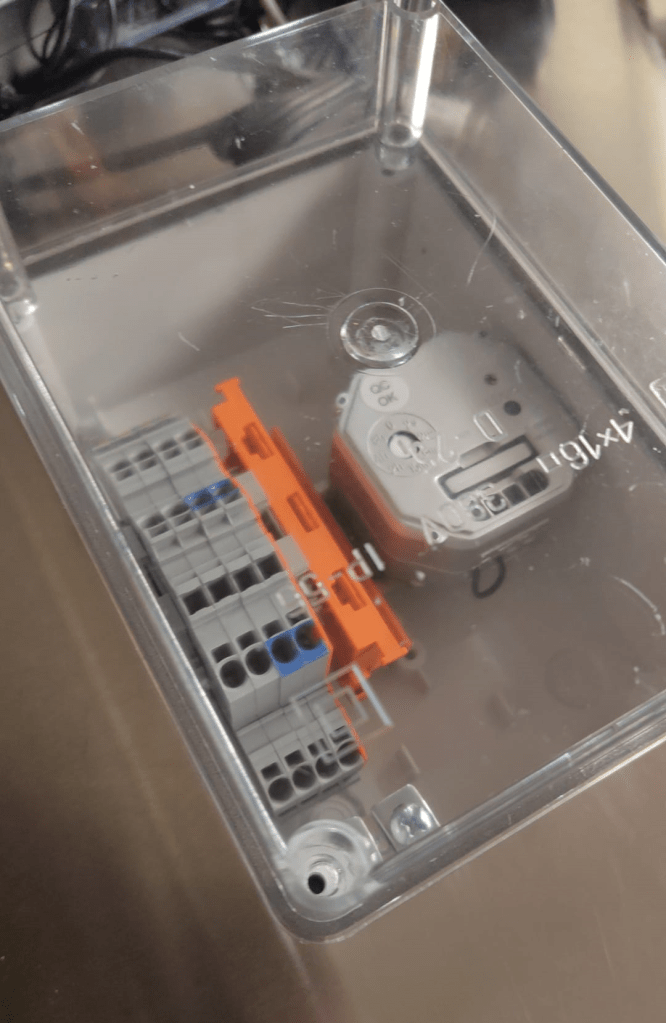
And here the box as a prototype with the terminal blocks with 2003-764x, jumpers missing and an ITL-1000 (the other parts are still in the mail). As soon as I have installed one of these on the wall with all the cabling I will post an update.
Converting a workshop into a flat

Now, that we just finished our plumbing course, it is time to apply our freshly acquired skills.

A prowd owner of a Certificate of Unit Credit towards Level 2 Diploma in Plumbing Studies

What better opportunity could there be than to convert an old workshop into a modern flat? During the next weeks we will document our plans and progress towards that conversion.

These are the things that need to be done:

  1. Add an interiour wall to separate bath room from kitchen
  2. Add an interiour wall to separate bed room form entrée
  3. Paint walls and ceiling
  4. Lay laminate flooring
  5. Rewire electricity, add energy meter and distribution board
  6. -and of course now to the plumbing- Install pipe work for water in bath room and kitchen
  7. Move soil stack up to first floor
  8. Install shower, toilet, basin and washing machine
  9. Install kitchen sink and dish washer
  10. decommission existing connections
  11. … and clean up and make space first

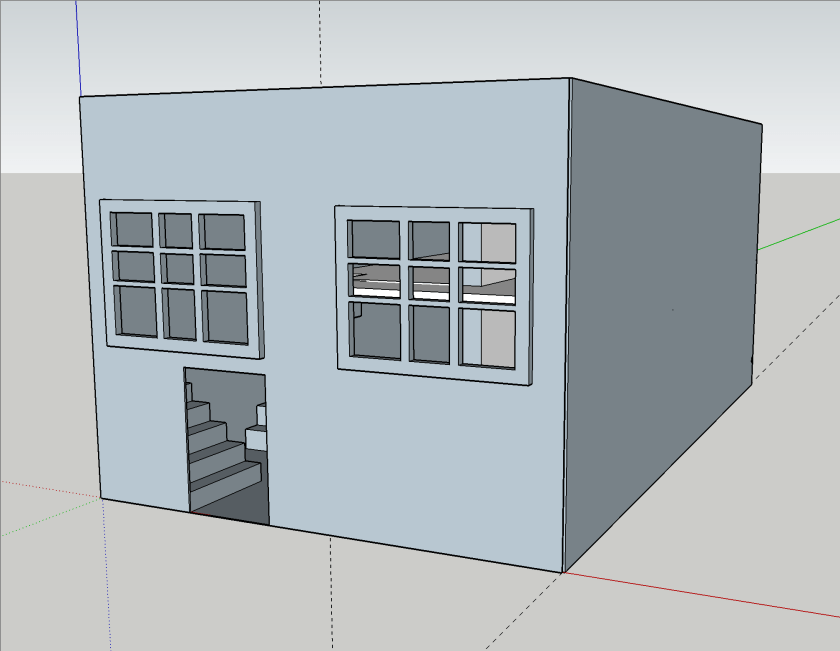
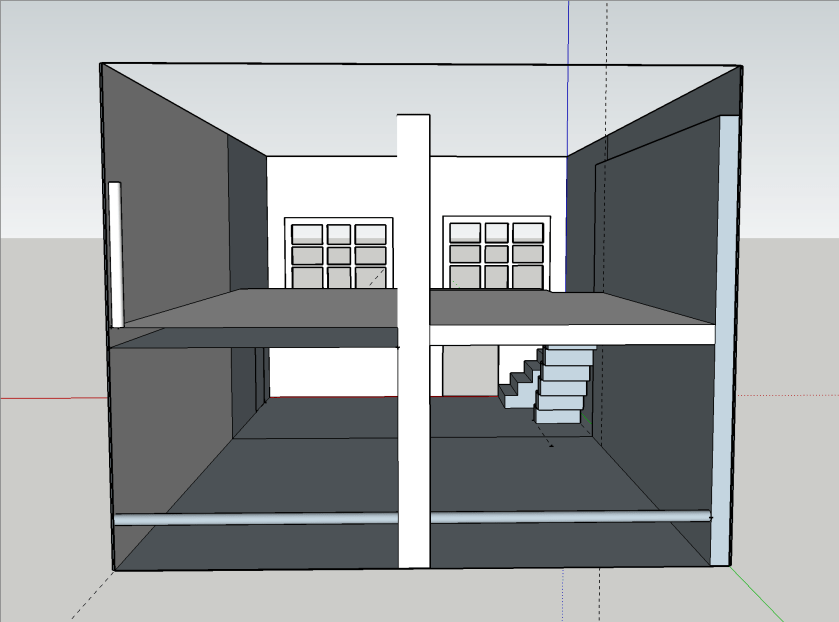
We first started with a basic room layout which I did in Sketchup Make 2017, the last *free* version of Sketchup by Google (now owned by Trimble). Though Trimble does not support or offer that version, thanks to the Internet Archive Wayback Machine the version can still be downloaded.

Note: the “PRO Trial” will revert to the free version aftert 30 days.

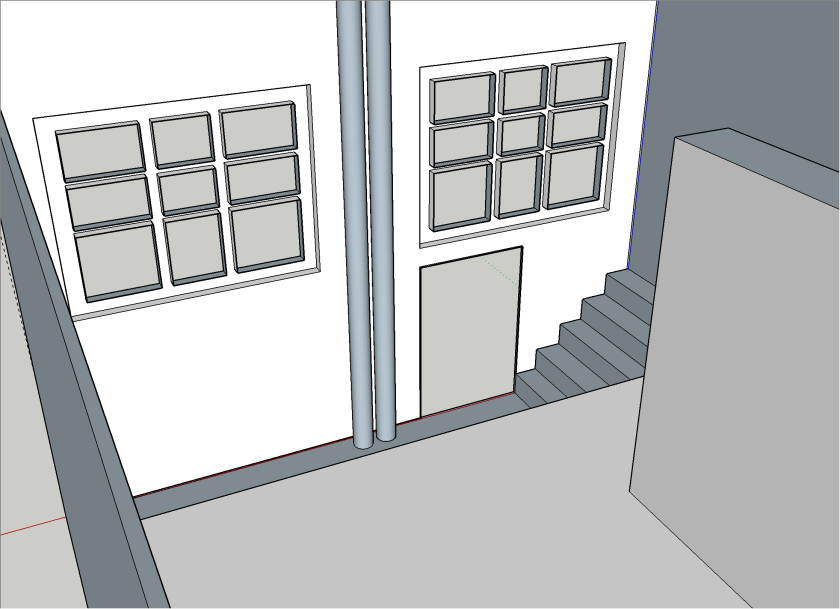
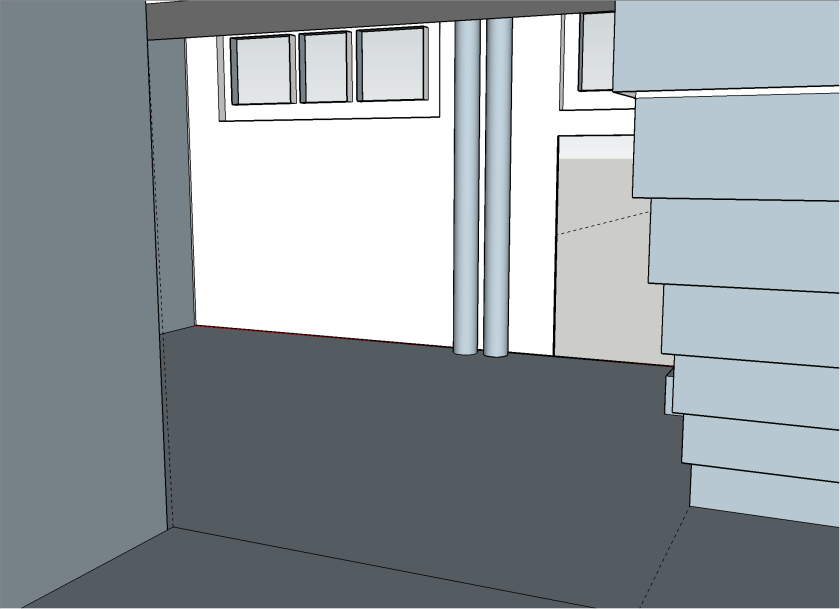
My last Sketchup experience dates back to 2015 when I modelled the packaging for the beer bottles of our then breweey, so the model I came up with now (not completed) is not really stable not particularily beautiful. But you will get an idea.

As the walls of the building are made of ferroconcrete and we are not fans of flush mounting we decided to put all the pipework and cabling on the walls and not hide them in conduits.

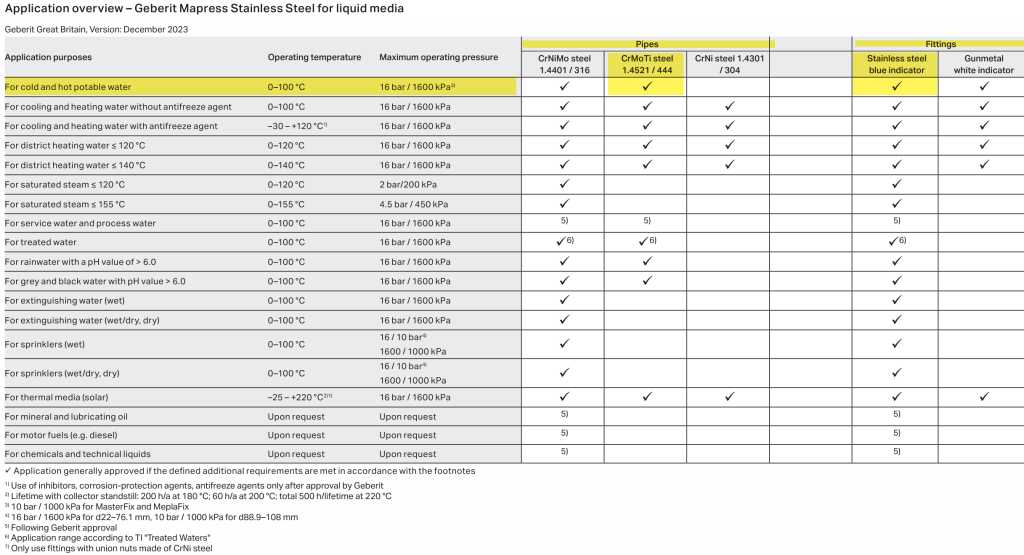
For the pipework we decided to use Geberit Mapress 15mm stainless steel pipes. There we go for the slightly cheaper 1.4521 variant (and not 1.4401) which is also approved for drinking water:

Application overview – Geberit Mapress Stainless Steel for liquid media, taken from https://cdn.data.geberit.com/overviews/GB-en/DAS_157952.pdf

For the electrical installation we have to install a distribution board with a separate energy meter. For this, we chose Hager and wanted to try out the quickconnect system, where everything is just plugged into place instead of being screwed down.

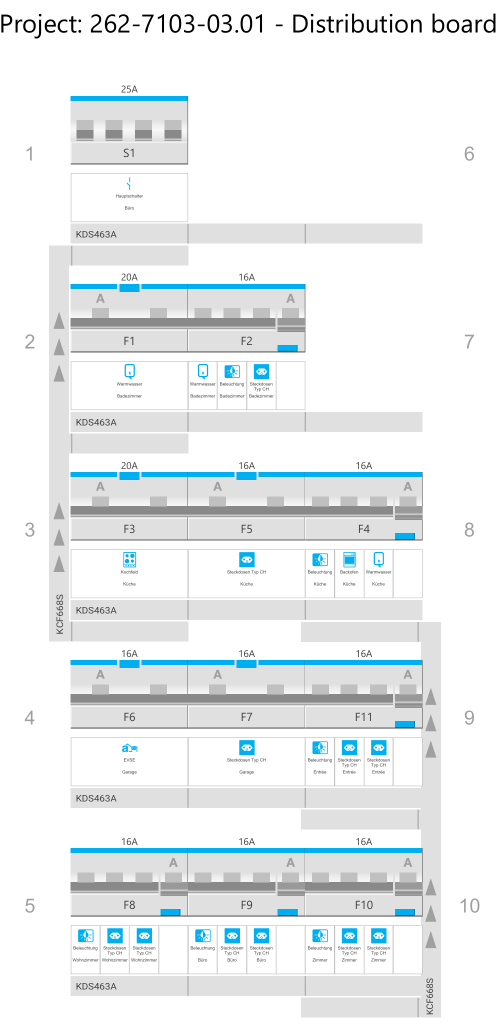
With the Hager Ready app (on Windows) it was suprisingly easy to configure and validate the layout (though the “wizard” was not working in my favour and always picked the “wrong” products which is why I added the components manually):

Distribution board with components

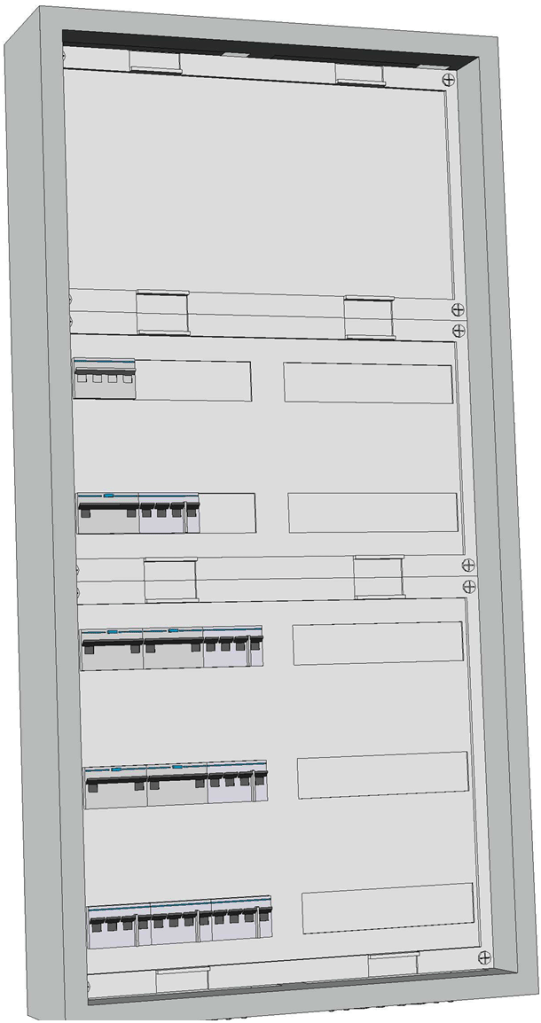
It even generated a 3D view of the selected enclosure:

3D view of enclosure

For the connection of the actual wires from the rooms to the 11 RCBOs I chose to go via 2003 WAGO DIN rail terminal blocks (on row 1 of the board). So with quickconnect in place and these terminal blocks, I only have to run 56 2.5mm2 wires (plus one 16mm2 PE) for the whole distribution board!

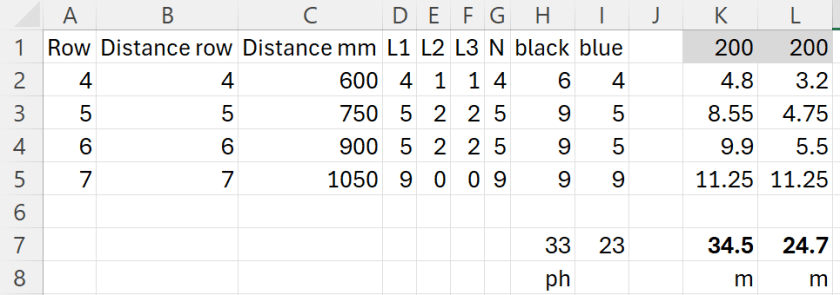
To make calculation of the required cable lengths a little bit easier I threw the numbers into this spread sheet:

Required cable length for a 2×7 distribution board

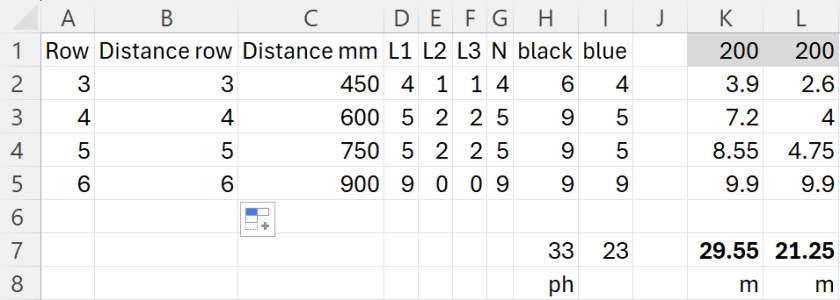
For 33 phases and 23 neutrals RCBOs I would need nearly 60m of wire! This is because I really cannot use bus bars for neutral. For a comparison: If I had got a 2×6 distribution board I would have used nearly 10m less for the internal cabling (but unfortunately, there was none available):

Required cable length for a 2×6 distribution board

I ordered most of the electrical stuff today and will have an update on it when the material arrives.

And this is it for today.